How shows are using short-form video clips to drive podcast discovery on Spotify
March 25, 2025
Discover how two show teams leverage short-form video clips on Spotify.
Expand for key takeaways:
You're always looking for ways to get your show in front of new audiences, and social media is a big part of that strategy. Between Reels and TikTok, short-form video is ubiquitous—and for good reason. It's a great way to give potential fans a taste of your content.
No items found.
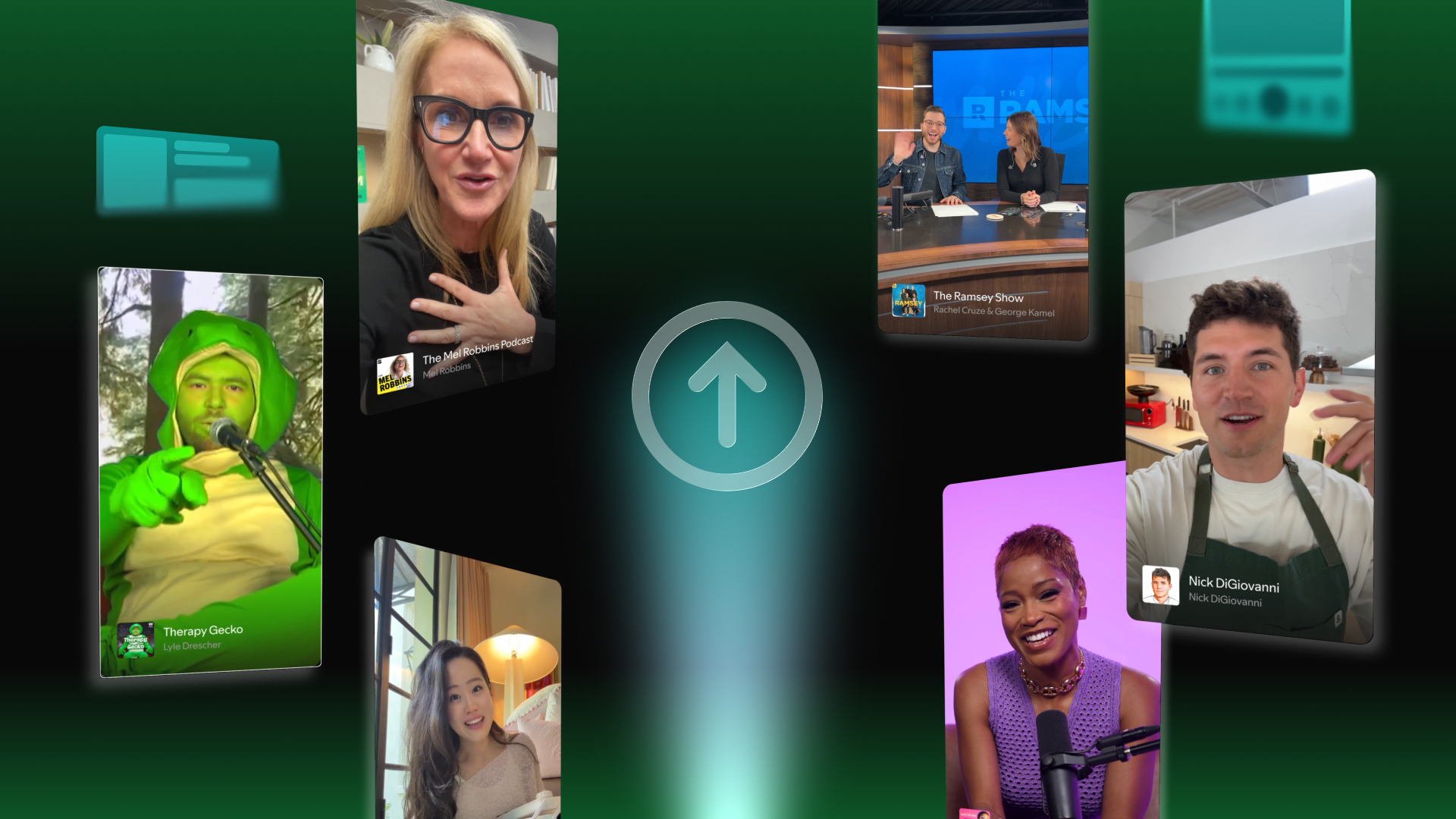
You're probably already creating these clips, but while they might get tons of views on social media, they don't always translate into episode streams. We want to change that. Now, you can upload your short-form clips directly on Spotify, (live in over 100 markets) where your audience already comes to listen and watch.
We caught up with creators who've been using clips to learn what's working for them. Alexandra Fugère, Senior Content Strategist for Greatness Media’s “The School of Greatness,” walks us through her approach to spotting clip-worthy moments, while Kaelyn Moore and Matt Brown (“Heart Starts Pounding”) share how they create promotional short-form content for their narrative show.
What are clips on Spotify?
A strong social media presence is a must-have for any creator. But the nature of any platform is to keep users there, which makes it harder to drive meaningful traffic to your full episodes.With clips on Spotify, we reach your audience where they already are—helping you convert that initial interest into actual streams of your long-form content.
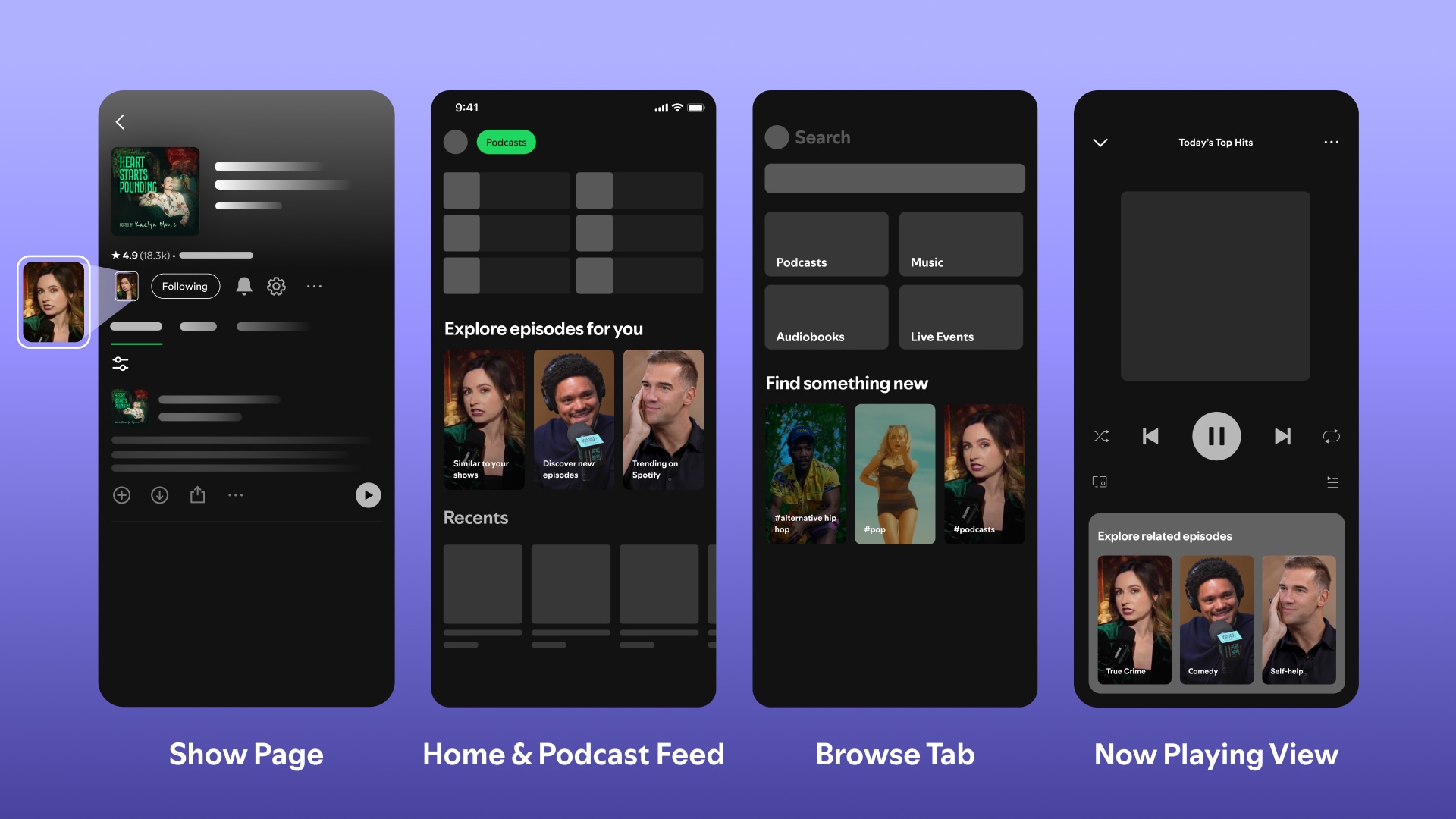
Whether you want to repurpose the videos you already have or make something fresh for Spotify, you can now share clips where audiences already come for full episodes. Each episode can have one clip, and this short-form content can show up and be recommended across Spotify surfaces:
In your show page, where potential fans can browse your episodes
In the Home and Podcast feed, where Spotify users discover new content
In the Browse tab, to help you reach audiences interested in your genre
In the Now Playing view, so you can catch users when they're already engaged with content
Once you’ve uploaded your clips, you’ll be able to track their performance in Analytics with stats like:
Clip Impressions: The number of times that a Spotify user saw your clip on the Spotify app in the last 30 days.
Plays from clips: Number of times a Spotify user actively watched or listened to your content on the Spotify app within 24 hours of viewing your clip.
For "The School of Greatness" podcast, clip creation starts right in the recording studio. Alexandra sits in on every interview, and keeps an eye out for moments that have the potential to go viral or capture audience interest.
Working with a team of editors, Alexandra makes sure each episode has multiple potential clips ready to go. "Once we get the first version of the episode, I'll go in and start pulling the clips with our editors and just try to make them as hooky and as viral as possible."
I'm sitting in on every interview as it's recording. So pretty far ahead of time, I have moments marked that I can kind of hear might be viral, moments that I liked.
After lots of tweaking, Alexandra's found what works best for their show social media-wise. "The morning an episode releases, I'll drop the trailer with a CTA driving to the link for the full episode," she explains. “Then I have the other type of clips, which are some of the hardest-hitting moments from the episodes that I'll usually run that afternoon or the day after an episode drops to keep driving to that episode."
Of all the different clips Alexandra shared on social, trailers are the most effective at driving listeners to full episodes. So when it came to Spotify, where you can only share one clip per episode, she focused exclusively on trailers. "They’re what moved the needle for me,” she says. “It isn’t our top-performing piece of social content, but it does drive to the episode via social. It's kind of like a teaser—catchy little moments, cliffhangers that will drive people to the episode."
If you don't have someone sitting in during recordings, you can spot these moments during your editing process. Pay attention to segments that give a signature taste of your show and tell the audience what you’re all about—moments that make you laugh, teach you something unexpected, or give you goosebumps. You can even choose a handful of your strongest moments and arrange them to tell a story, so you have a 90-second trailer of your episode à la “The School of Greatness.”
Create purpose-built promotional clips (even if you’re an audio-only show)
While clips are videos, you don't need a video podcast to take advantage of the feature. The team behind "Heart Starts Pounding," an audio-only podcast, has found success by creating promotional videos specifically for Spotify and social media.
"We purposely create content versus taking actual clips from the show," explains Matt, the show’s Brand Strategist. "We create 60 to 90-second videos that will hook people on the episode because that's way more effective in terms of social media in general. And that same strategy translates to Spotify."
Instead of using a clip from the actual podcast, I talk about the thing that the episode's about in a way that feels native to the platform. I found that tends to get people more excited to click and go listen to the episode.
Host Kaelyn explains their approach: "Instead of using a clip from the actual podcast, I talk about the episode's topic in a way that feels native to the platform. I found that tends to get people more excited to click and listen to the episode."
And no, your audience won't be confused by the format switch. As Kaelyn points out, "the way that I do the clips where I'm talking, it doesn't look like I'm recording the podcast. People aren't confused when they can't find that version of the show."
Matt adds to this, encouraging creators to look at clips as "a way to market your show versus just a clip from your episode. Every radio program in the world has used billboards for 75 years. No one was like, 'oh, that person's face is not coming out of my radio.'"
Curious about experimenting with video? Discover how and why you can start a video podcast on Spotify
Choose hooks that convert
Alexandra, Kaelyn, and Matt all agree that the secret to a great clip is the hook—something that will draw viewers in quickly, but also make them want to check out the full episode.
"On socials, the advice is always just put out a million things. You could put out 15 clips for one episode and just see what works, but with Spotify, you only get one," Kaelyn points out. "So, really thinking, what do you want to get across? This is a piece of marketing for your show. This isn't just throwing something into the algorithm and seeing what sticks."
On socials, the advice is always just put out a million things. You could put out 15 clips for one episode and just see what works, but with Spotify, you only get one. So, really thinking, what do you want to get across? This is a piece of marketing for your show. This isn't just throwing something into the algorithm and seeing what sticks.
"Hook them in the first three to seven seconds and have a few different moments that create a story arc for the episode" Alexandra advises. She also emphasizes keeping it real: "Have it be pretty true to the first ten or 15 minutes of the episode, so it flows well, and people don't feel like they were sold something that wasn't what the episode actually was about."
Matt agrees that you need to give viewers a compelling reason to click through to the episode. He sees many podcasts making the mistake of just pulling out-of-context segments for their clips, which doesn’t give people enough incentive to explore the show further.
It isn’t a one-size-fits-all approach. It's really just a creator thinking about what is the thing about your show that's going to get someone interested in you or the story that you're telling. And then figuring out a way to put that into the allotted time.
For “The School of Greatness,” Alexandra found that leading with expertise is a great hook in and of itself. "Putting all the guest credentials right in front of their name actually helped our content perform so much better," she shares. Their audience responds to experts who bring real credentials to the table—Harvard graduates, qualified doctors, or recognized authorities in their fields.
So it really is about considering what makes your show unique. For “The School of Greatness,” it’s great guests, but for you, it might be thought-provoking questions, behind-the-scenes stories, or surprising facts.
As Matt puts it, creating great clips “isn’t a one-size-fits-all approach. It's really just you, as a creator, thinking about what is the thing about your show that's going to get someone interested in you or the story that you're telling. And then figuring out a way to put that into the allotted time.“
Turn discovery into potential streams with clips on Spotify
Creating content to promote your show is already part of your process. For the creators we talked to, it was easy to integrate into their existing flow: "Publishing clips takes me five minutes. It's super easy," Alexandra shares. For Kaelyn, it's even quicker: "It's already part of our workflow, so it just takes an extra 20 seconds to upload it to Spotify."
Alexandra already noticed their click-through rate (impression to stream) "has gotten really high." While they're testing several things on their end, she believes that “being on Spotify and uploading clips have a lot to do with it."
Whether you're spotting worthy moments during recording or creating purpose-built videos, there's a clips strategy that will work for your show. As Matt says, "clips is just a really good new marketing tool. It allows you to make videos to promote your content, and it doesn't really matter if your content is audio or video."
Ready to get started? Upload your first clip on Spotify and start reaching new fans right where they already come to access full episodes.





%20(1).jpg)


.jpg)

