Over the past year, we’ve been providing you with more tools to help you get discovered, grow, and build a fan community on Spotify — no matter where you’re hosted.
Feature Focus: More ways to grow and stand out on Spotify
June 10, 2025
Introducing new tools to grow your audience on Spotify: comment threads, "in this episode" content tags, & editable transcripts

Expand for key takeaways:


No items found.
The ways we support you on Spotify don’t stop there. We’ve recently added new features to engage fans, recommend and feature content, and more. Let’s dive into it!
Let conversations grow with comment threads
The launch of comments and reactions opened the door to more interactions between you and your audience. In fact, it turns out that fans who react or comment on your show are more loyal and consume twice as many episodes compared to those who don’t. (All the more reason to excite and engage them by replying to comments!)
We’re leveling up on these interactions with the launch of comment threads — giving you and your audience the space to extend conversations beyond a single reply and build a more engaged community.
Introducing threads helps creators like The Zurkie Show, where deeper connections with loyal fans differentiate the Spotify comments section from other platforms:
"Comments have been instrumental to building a fan community that feels unique and exclusive to Spotify. One fun example of this are the emoji reactions, which have taken on a meaning of their own and started to become an inside joke amongst the community. It's also been really cool to see the same group of people returning to the comments section for every episode. The fact that I can interact with them directly and that they know when I respond or like their comments helps me build a tighter relationship with my audience."
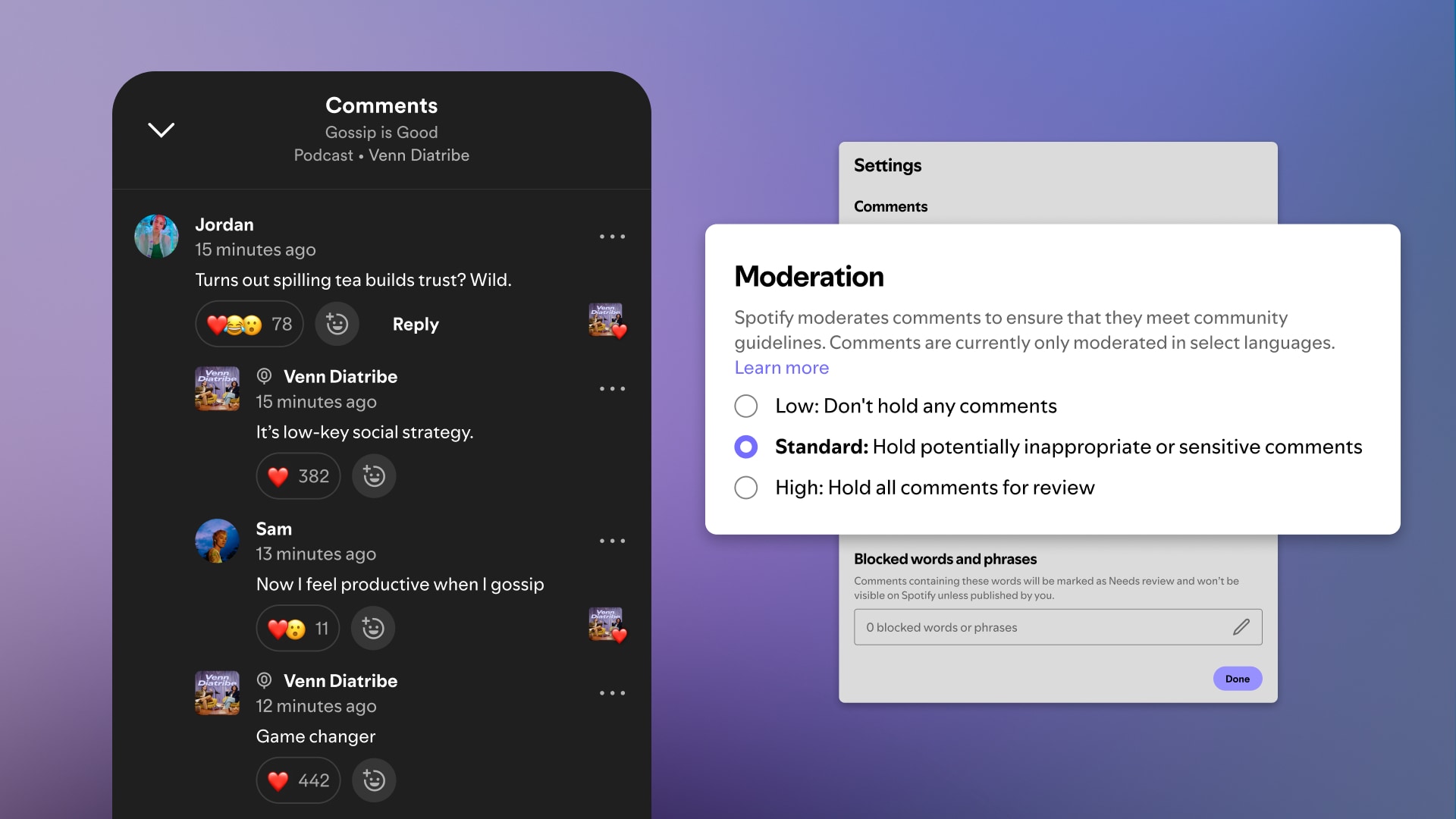
As an added benefit — your show art will display with your comments when you use Spotify for Creators to reply, letting fans know you (or your team) responded! And you’ll continue to be able to control the experience through your Spotify for Creators account, where you can select your preferred settings on which comments appear or opt out your shows or specific episodes from the experience.
If you haven’t yet, now is the perfect opportunity to start investing more time into building your fan community through the comments. Check out how other creators are doing it on our blog.
Feature and recommend Spotify content in your episodes
Host Recommendations introduced ways to help you cross-promote or recommend other content on Spotify at the show level. “In this episode” takes it a step further — letting you recommend content on Spotify featured in your episode and guide fans to discover more.
These recommendations will appear on various surfaces like your Episode page. Audiences can click the Plus icon to add that content to their library or click on the card itself to view and play the content.
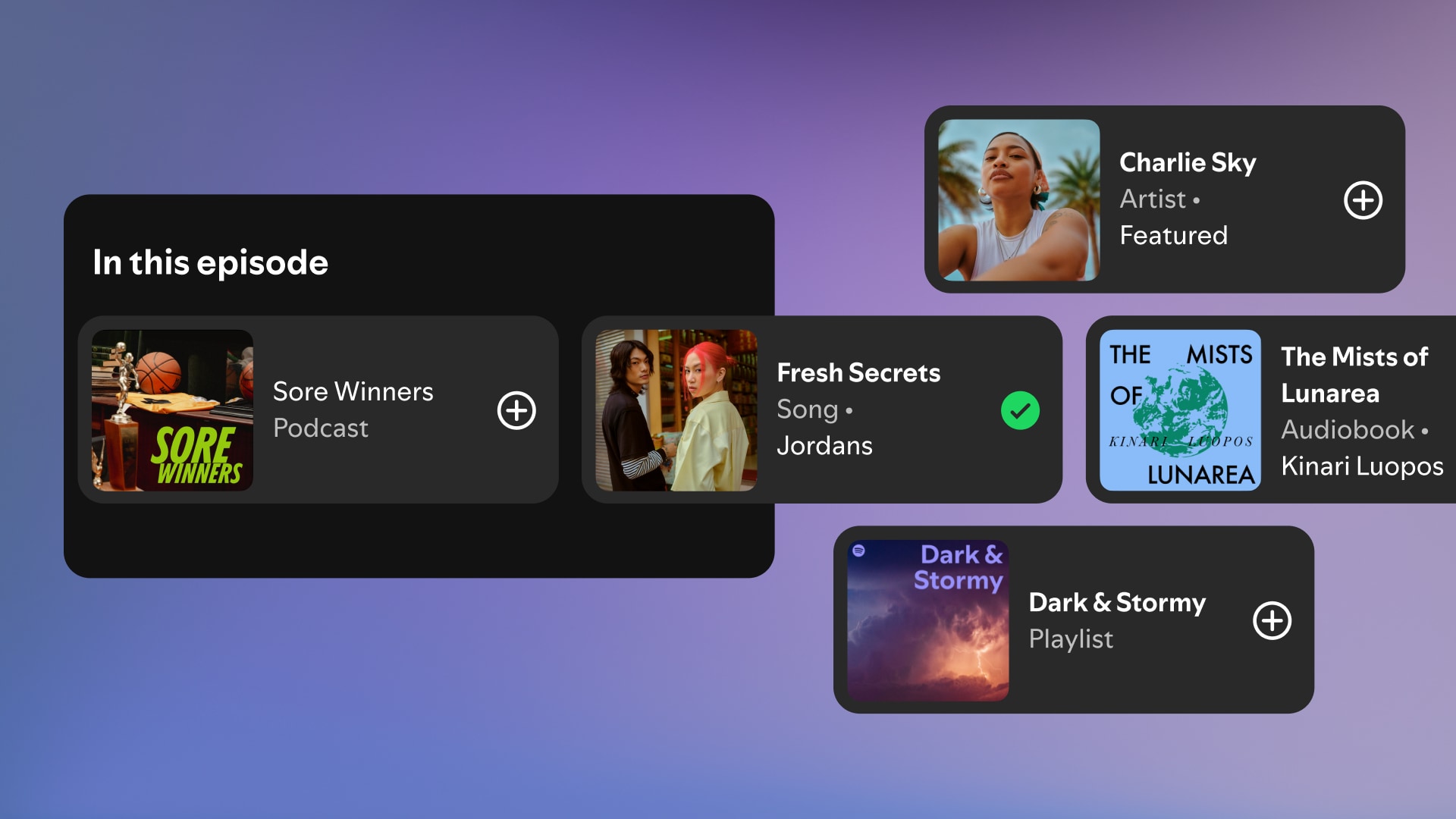
Whether you want to highlight more of your back catalog episodes or feature content from your guests, the possibilities with “In this episode” are endless. You can even collaborate and cross-promote with other creators, who can help you reach new audiences by directing their fans to your show.
To get started, head to any Episode Details page in Spotify for Creators and look for the new “In this episode” section. You can search for any content on Spotify (podcast episodes, shows, songs, albums, artists, audiobooks, or playlists) and add it to your episode.

You can customize the “In this episode” component for every episode of your show!
Transcripts power more ways to be discovered on Spotify
Transcripts serve multiple important functions on Spotify. They help make your content more accessible to broader audiences and power other features that can support discovery like podcast chapters, guests, and topics. Spotify automatically generates transcripts for select shows to allow you to easily tap into these benefits.
Transcripts are a powerful podcast companion that unlock the following features:
- Chapters - these divide your episode into distinct and topical segments so people can easily browse and share important moments. Spotify also uses chapters to recommend episodes to potential fans who have already expressed interest in similar topics. Chapters can appear across various Spotify surfaces helping you get discovered on the same app where fans are already tuning into their favorite shows.
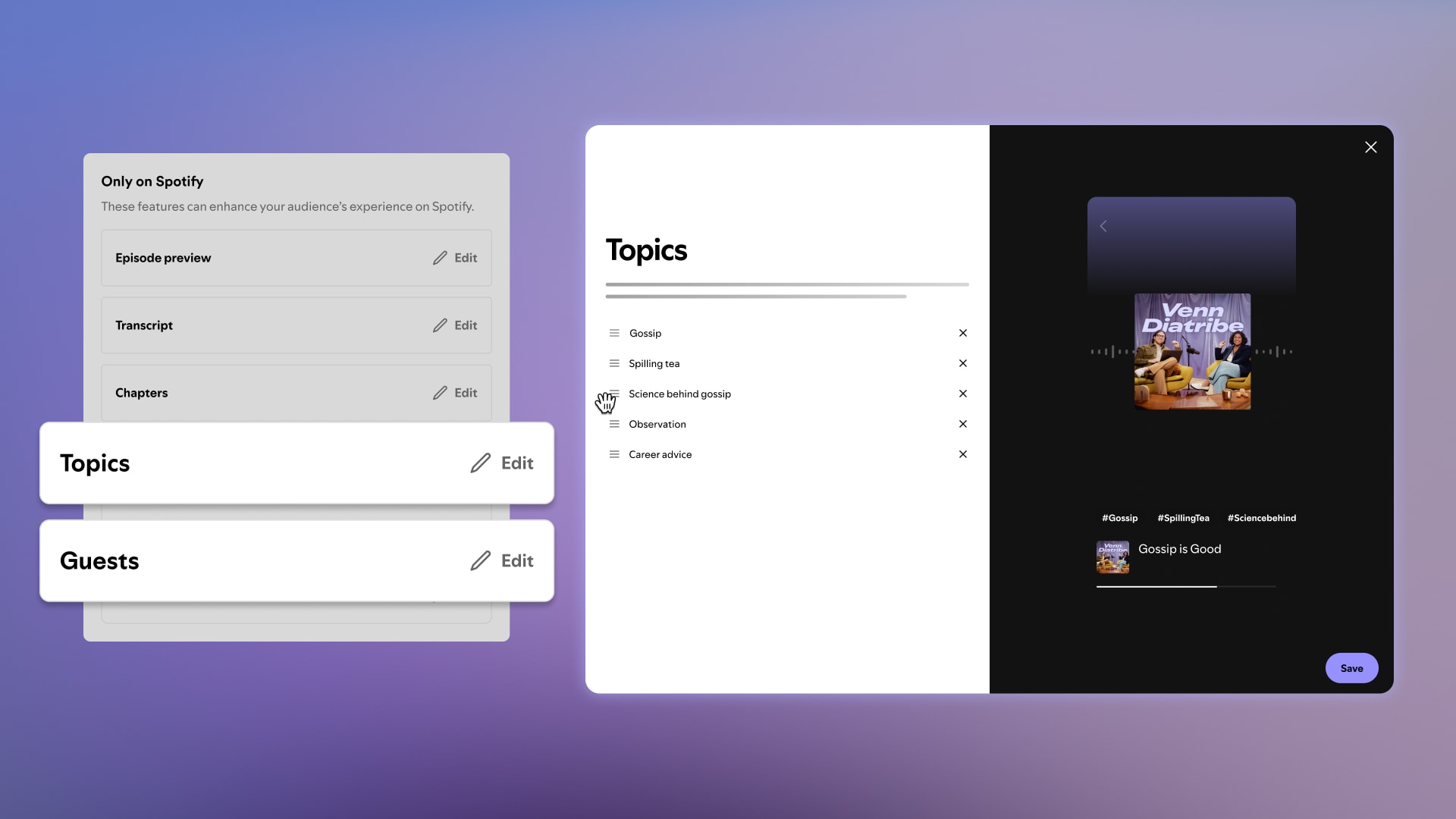
- Topics and guests identification - transcripts can help Spotify identify the topics covered and guests featured in your podcast episode. These are surfaced across Spotify and allow fans to dive deeper into the areas that interest them most. Guests and topics are an exciting way for your show to guide fan experiences on Spotify — providing a clickable hashtag or button informed from your content.
Managing transcripts and more
Spotify automatically generates transcripts for select shows to allow you to easily tap into the benefits they provide. However, we acknowledge there may be times when you prefer to provide your own transcript or edit the one Spotify provides.
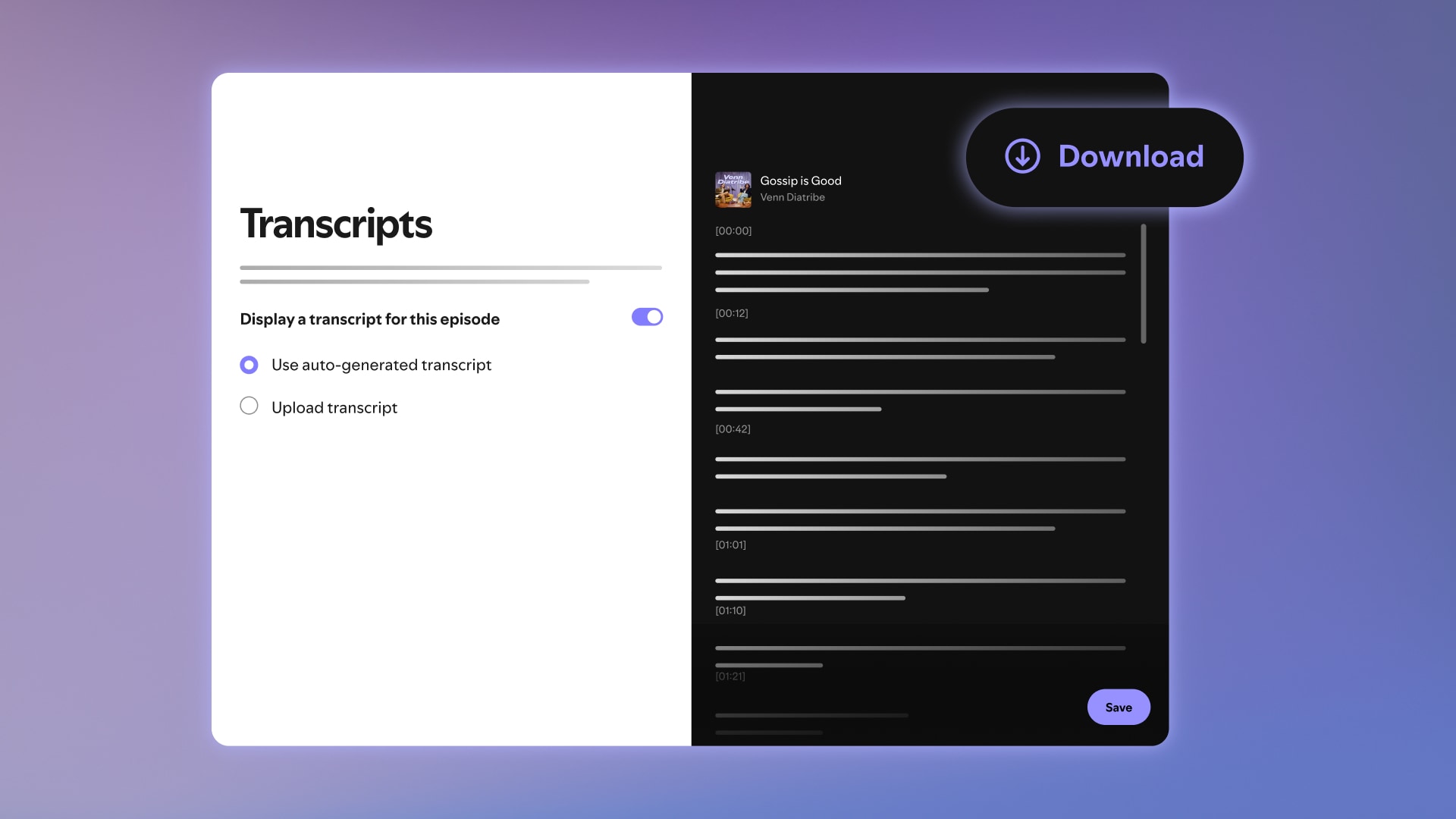
You can now upload your own transcripts (.vtt or .srt file) to replace those that we automatically generate. If you don’t have your own file, you can also download our auto-generated transcript, edit offline, and reupload via Spotify for Creators. Eligibility is currently limited to select English, French, German, Spanish, and Portuguese language shows (both hosted and non-hosted).
For creators hosted on Spotify for Creators, if you choose to provide your own transcript, you can also now distribute it to other listening platforms via RSS. You can head to Podcast Settings to enable this feature. This is just the start of our investment in more creator control over transcripts.
You can also now reprioritize or remove guests and topics via the Episode Details page in Spotify for Creators. This feature is currently available for select English language shows (topics and guests may not be generated on every episode).
We’re always working to ensure you get the best experience on Spotify for Creators. Stay tuned for more updates soon.
Feeling inspired?
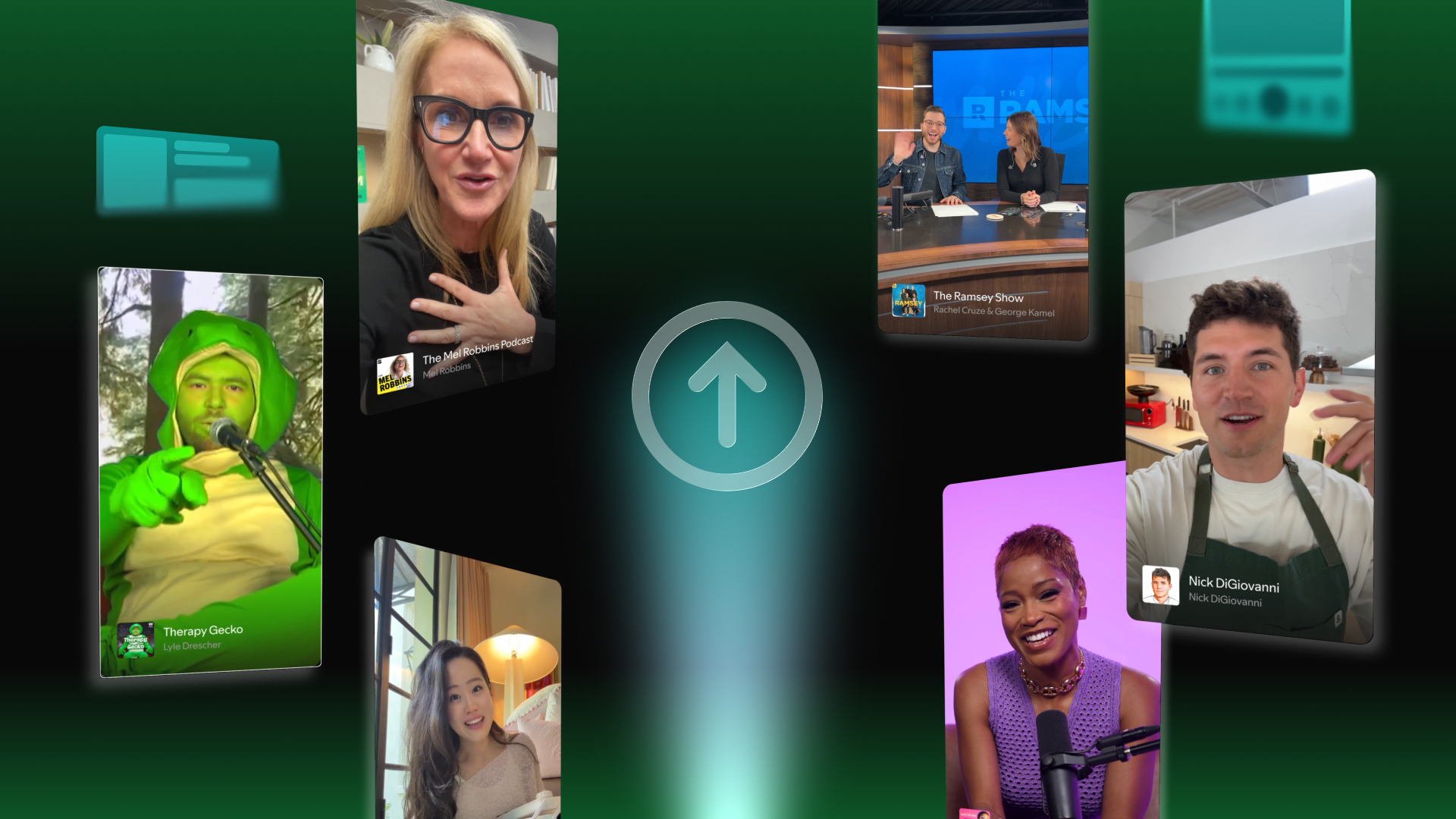
Unlock your show’s full potential on Spotify: download the optimization playbook
November 5, 2025
Text Link
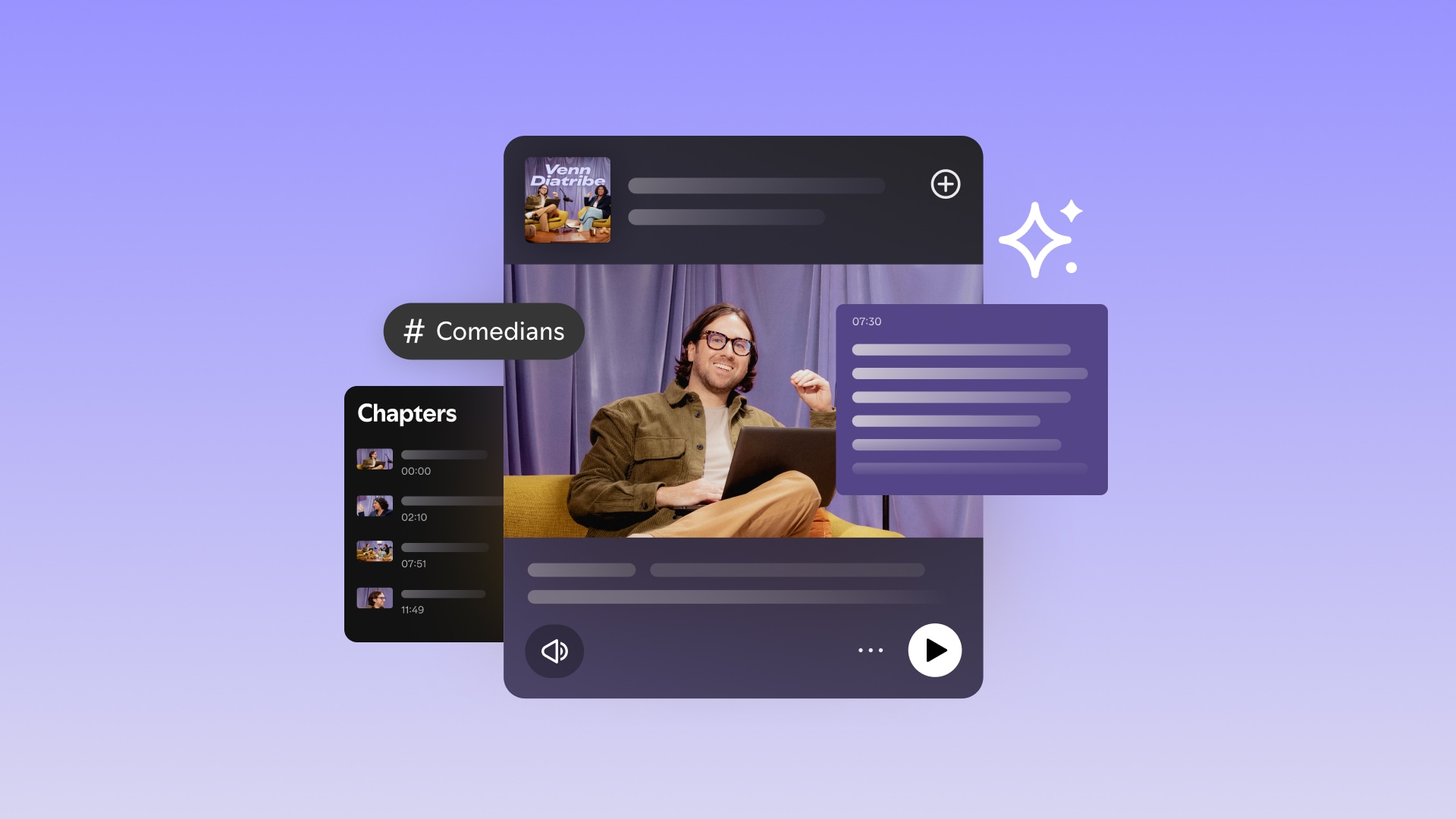
Amplifying your show on Spotify with automatic transcripts, chapters, and more
September 9, 2025
Text Link


From 1K to 10K to 100K followers: What 4 creators learned from their growth journey
March 31, 2025
Text Link
How shows are using short-form video clips to drive podcast discovery on Spotify
March 25, 2025
Text Link


How creators are building their fan community on Spotify with podcast comments
September 16, 2024
Text Link

2024 Podcast Trends Tour: What creators can learn about monetization and growth
May 22, 2024
Text Link


%20(1).jpg)


.jpg)
SIMILAR CONTENT

