DIY Photo Organising
By Chantal Imbach from Photos In Order



127 | Keywording in the Age of AI Photo Search
Is keywording (or tagging) your photos still worth it, now that AI can search them?
Photos on your iPhone and Mac can find things without you lifting a finger, so does that mean keywording your photos is a waste of time?
In this episode, I explain what a keyword actually is, what Apple Photos can already find on its own, and where keywording still makes a difference, including a simple habit that keeps your search results from splitting in two.
In this episode:
● What a keyword or tag actually is, and why it exists
● How Apple Photos can already find photos using plain language, no tagging required
● What AI photo search still cannot know about your photos
● Why a written keyword still earns its place, even with smart search
● How the newest update, iOS 27, lets you add keywords straight from your iPhone or iPad
● A simple habit that keeps your keywords consistent, so nothing gets lost in search
If you have other photo-related questions, don’t hesitate to let me know via the wishlist so I can answer it!
126 | iPhone Photo Decluttering: The Dos and Don'ts
In this episode, I am sharing my practical dos and don'ts for decluttering your photos, using tools that are already sitting inside the Photos app on your iPhone and Mac. This was the most asked question from my recent webinar, so if you have been staring at your camera roll wondering where to even begin, this episode is for you.
In this episode:
● The Do that makes every decluttering decision easier.
● How to remove duplicates with a single tap.
● Other easy places to start your photo decluttering project.
● Favouriting versus deleting.
● How to avoid overwhelm.
● The importance of understanding your settings.
Mentioned in this episode:
● Episode 122: Why your Photo Project keeps stalling - Golden Rule 2 Know Your Why
● Episode 124: Find Any Photo in Seconds - Golden Rule 4 Sort and Organise
125 | Turn your Photos into Keepsakes
Golden Rule 5 of Photo Organising: Do Something!
You've backed up, organised, and sorted your entire photo collection. But what's the point of all that photo organising effort if your photos just sit somewhere on a hard drive? In thisfinal episode of the 5 Golden Rules of Photo Organising, Chantal shows you how to turn your organised collection into photo books, gifts, and keepsakes you'll actually treasure, plus the simple habits that keep your Photo Hub running smoothly for good.
In this episode:
- Why doing something with your photos matters.
- The simple six-step process behind every successful photo project, from deciding what to create through to hitting order.
- Ideas for photo books, framed prints, wall art, calendars, and personalised cards, plus a few fun (and slightly wild) photo gift options.
- Tips for creating digital projects like slideshows and video montages.
- How to maintain your Photo Hub going forward, so all the hard work you've put in actually sticks.
Mentioned in this episode:
Blog: How to create Photo Books in 5 easy steps
Episode 108 How to make a photo gallery wall at home with Haleh Shoa (and on YouTube: https://youtu.be/iRUJZ25tkGo)
Got a topic you'd love covered? Add it to the wishlist
124 | Find Any Photo in Seconds!
Revisiting Golden Rule 4 of Photo Organising: Sort and Organise
You've backed up your photos and given them a home in Golden Rule 3. But can you actually put your hands on the one you want?
In this episode, Chantal condenses what was originally two full episodes, digital photos and printed photos, into one, and walks through how to sort, structure, and cull your entire collection so any photo is just a search (or a flick through a labelled pile) away.
In this episode:
- Why sorting and organising matters, and what actually happens if you skip it.
- How to deduplicate, structure, and cull your digital Photo Hub.
- A step-by-step way to sort, declutter, and (if you choose) digitise your printed photos.
- Whether adding metadata is worth your time, and how AI is already changing that answer.
- A simple way to make this step feel far less overwhelming.
Mentioned in this episode:
Episode 005 Golden Rule 4 – Sort and Organise (Part 1 –Digital Photos)
Episode 006 Golden Rule 4 – Sort and Organise (Part 2 –Printed Photos)
Download folder structures here and make it yours
Duplicate Cleaner Pro (Windows)
Online class: Organise and Preserve your Printed Photos
Live classes for Apple, iPhone & Mac users
Got a topic you'd love covered? Add it to the wishlist
Ready to hear more about photo management? Join Chantal's free webinar on 27 August 2026 for a high-level walkthrough of getting your photos backed up, organised, and under control. Details and registration here.
123 | Give Your Photos a Home
Golden Rule 3 of Photo Organising: Create a Photo Hub
Your photos are probably scattered across your phone, an old laptop, a few USB sticks, and who knows where else. In this episode, Chantal shows you how to fix that for good, by creating one central home for every digital photo you own.
In this episode:
- Why a photo hub matters, and what happens if you skip it
- The three places your hub can live, and which one to choose
- How to track down photos hiding across every device and account you have
- A simple, repeatable way to copy everything in without losing anything
- Answers to the questions listeners ask most about this step
Mentioned in this episode:
- Got a topic you'd love covered? Add it to thewishlist
Ready to hear more about photo management? Join Chantal's free webinar on 27 August 2026 for a high-level walkthrough of getting your photos backed up, organised, and under control. Register here!
122 | Why Your Photo Project Keeps Stalling
It's not about time, or software, or how many photos you have, it's about the step that you might have skipped when you started your photo organising project. In this episode of the DIY Photo Organising Podcast, Chantal moves on to Golden Rule 2 of the 5 Golden Rules of Photo Organising: Know Your Why.
Episode Summary
Chantal explains why knowing your Why matters so much. Unfortunately, it is often skipped despite this step having a massive influence on whether a photo project actually gets finished. She breaks down the real difference between a Why and a goal, shares practical examples and walks through how to turn a vague reason into a clear, motivating plan.
What You'll Learn
- Why Knowing Your Why is so important.
- The real difference between your Why and your goal.
- Real examples of a Why versus a goal, from yearbooks to family legacy collections.
- How to turn your Why into SMART goals you will reach.
Resources Mentioned
• Episode 121 - Golden Rule 1: Back Up
Next Steps
Ready to get clear on your Why and build a plan around it? Join Chantal's free webinar on 27 August 2026 for a high-level walkthrough of getting your photos backed up, organised, and under control. Register here!
Got a question or topic you'd like covered? Pop it on the wish list here.
The DIY Photo Organsing Course covers everything, step by step. It is a pre-recorded, self-guided course that works no matter what devices you use.
And if you are in the Apple world, iPhone and Mac, live classes start mid September and registrations will open soon. Simply go on the waitlist here to be the first to know and find out more here.
121 | Is Your Photo Backup Actually a Backup?
It is not a matter of if you'll lose your photos, it is a matter of when!
In this relaunch episode of the DIY Photo Organising Podcast, Chantal goes back to basics with Golden Rule 1 of the 5 Golden Rules of Photo Organising: Backup.
Episode Summary
Chantal kicks off the solo relaunch of the show by revisiting the single most important step in getting your photos under control: backing them up. Drawing on real stories, she explains why photo loss can happen to anybody, and why backup has to come before any sorting or organising.
She breaks down the crucial difference between synchronising and a true backup, and walks through the industry-standard method she recommends for keeping your photos safe for good. She also shares the exact backup setup she uses at home, what should be included in a backup, and a few simple habits that prevent future headaches.
What You'll Learn
- Why backing up photos is Golden Rule # and the most important of the five.
- The real difference between syncing and backing up (and why iCloud, Dropbox and OneDrive aren't true backups on their own).
- The simple, industry-standard method Chantal recommends for backing up your photos properly.
- What to include in a backup (hint: it's more than just your Pictures folder)!
- Simple habits to build in to save you from future stress.
Resources Mentioned
- Episode 120
- Backblaze (cloud backup service)
- Time Machine (Mac) / File History (Windows)
- Related episodes: Episode 13 and Episode 42 (digitising prints, slides and film reels)
Next Steps
Ready to get your photos backed up and organised? Join Chantal's free webinar on 27 August 2026 for a high-level walkthrough of getting your photos backed up, organised, and under control. Register here!
Got a question or topic you'd like covered? Pop it on the wishlist here.
If you're interested in the self-paced online DIY Photo Organsing Course, find more details here.
Go on the waitlist here to be the first to know when the live-classes for “Mastering Apple Photos” will be ready.
120 | New Chapter in the DIY Photo Organising Podcast
Every season has an ending, and today we have one of our own to share. This is our final episode together as co-hosts, and it marks the end of one chapter for this podcast, and the beginning of a new one.
Fiona's own path has grown in a new direction. She went back to university to study counselling, and her focus is now on helping people through counselling and psychotherapy with Counselling Memories. It is the right time for her to step back from co-hosting and put her energy into that work.
Here is what is staying exactly the same:
- Every past episode, right where you have alwaysfound it.
- The podcast wishlist, where you can askquestions or suggest topics.
- The 5 Golden Rules, including the DIY PhotoOrganising Course built around them, are still at the heart of everything we teach.
Chantal will keep hosting the podcast, with the same practical tips and conversations you know, plus some new formats ahead.
Today, we also want to take a moment to say thank you. Thank you for letting us into your life and letting us be part of your photo organising journey. It has been a privilege and a joy, and we hope it continues with future episodes.
Mentioned in this episode:
- The DIY Photo Organising Course, feel free towatch the free introduction
- Episode 119: The DIY Photo Organising Course
Related episodes:
Episode 002 Golden Rule 1 - Backup
Episode 003 Golden Rule 2 – Know Your Why
Episode 004 Golden Rule 3 – Create a Hub
Episode 005 Golden Rule 4 – Sort and Organise (Part 1 – Digital Photos)
Episode 006 Golden Rule 4 – Sort and Organise (Part 2 – Printed Photos)
Episode 007 Golden Rule 5 – Do Something!
Episode 023 5 Steps to get you Started NOW
Episode 033 5 Golden Rules Highlights
119 | The DIY Photo Organising Course
It’s no secret that we’re passionate about helping people organise their photos.
After years of working with hundreds of clients, recording over 100 episodes of the DIY Photo Organising podcast, and refining our framework, we’re so excited to officially launch our DIY Photo Organising Course!
In this episode, we share why we created the course, what’s included, and how the 5 Golden Rules provide a clear, flexible, and timeless structure to help you move forward with confidence.
Over the years, we kept seeing the same patterns: People overwhelmed and unsure where to start. People organising without backing up first. People jumping in without knowing their “Why.” People getting stuck and giving up.
We realised most people weren’t lacking motivation - they were lacking clear principles.
That’s why we created this course.
What you'll hear in this episode
- Why we decided to turn the 5 Golden Rules into a structured course
- The common photo organising mistakes we see over and over again
- What’s included in the 8+ hour pre-recorded course
- A walkthrough of each of the 5 Golden Rules: Back Up, Know Your Why, Create a Photo Hub, Sort & Organise, Do Something.
- What the 40+ page workbook includes
- Details about the two bonus lessons: Organise and Preserve Your Printed Photos and When Organising Photos Feels Hard
- How the Live Intensive Workshops work - and who they’re for
Why it Matters
Organising your photos can feel overwhelming - until you have a clear framework. The 5 Golden Rules are timeless principlesthat work whether you have 500 photos or 50,000, helping you protect what matters, reduce the fear of loss, create clarity, and move forward at your own pace.
Links referenced
Link to the DIY Photo Organising Course and the Live Intensive
Related Episodes
Episode 002 Golden Rule 1 - Backup
Episode 003 Golden Rule 2 – Know Your Why
Episode 004 Golden Rule 3 – Create a Hub
Episode 005 Golden Rule 4 – Sort and Organise (Part 1 –Digital Photos)
Episode 006 Golden Rule 4 – Sort and Organise (Part 2 –Printed Photos)
Episode 007 Golden Rule 5 – Do Something!
Episode 023 5 Steps to get you Started NOW
Episode 033 5 Golden Rules Highlights
Episode 049 How to Stop Procrastinating about your Photos
Episode 110 Roadblocks in photo management and how toovercome them
If you have any photo-related questions we haven't answered yet in one of the previous episodes, please don't hesitate to share them with us via the Wishlist for Future Episodes!
We invite you to have a look through our DIY Photo Organising Courses so you can decide which of these courses might be what you need to help you move forward with your photo organising projects.
If you’d like to learn more about us, go to: www.diyphotoorganising.com.au
Fiona McLauchlan’s website: www.counsellingmemories.com.au or
Chantal Imbach’s website: www.photosinorder.com.au
If you are not in Melbourne and would like to explore having a Photo Manager help you, check out ww.thephotomanagers.com to find help closer to home.
118 | 2025 Recap: Pick Your 12 Favorite Moments
As the year comes to a close, we’re inviting you to pause and reflect on what truly mattered. In this final episode of 2025, we share a simple, meaningful photo challenge to help you capture the heart of your year in just twelve images. It’s gentle, creative, and surprisingly powerful. Plus, we give you a little sneak peek at what’s coming next for DIY Photo Organising in 2026.
What You’ll Hear in This Episode
A simple end-of-year photo reflection: 12 for ’25 – Your Year in Photos
How to choose one meaningful photo from each month
Ideas for adding words, captions, or reflections to your images
Creative ways to enjoy or share your 12 photos (if you want to)
Easy tools and apps you can use (including a free Canva template)
A preview of our upcoming DIY Photo Organising Course launching in early 2026
Why It Matters
Photo organising isn’t just about clearing clutter — it’s about connection. This episode helps you slow down, notice the moments that shaped your year, and honour them in a way that feels achievable and meaningful. By choosing just twelve photos, you create space for reflection, gratitude, and story — without overwhelm. It’s a beautiful way to close the year and step into the next one with intention.
Mentioned Links
Click here to be notified about the launch of the DIY Photo Organising Course
Click here to access the FREE Canva template to make your own 12 for ‘25 - Your Year in Photos
Related episodes
Episode 008 Create a Yearly Photobook
Episode 012 Fabulous Photo Gift Ideas
Episode 027 Photo Gifts for Christmas
Episode 032 New Year’s Resolutions with your photos
Episode 054 How to Design your 2020 Year Book
Episode 061 Photo Gift Ideas for Mother’s Day
Episode 067 DIY Photo Organising Courses
Episode 082 Planning Photo Projects
Episode 104 Photo Project Ideas and a Real Life Example
If you have any photo-related questions we haven't answered yet in one of the previous episodes, please don't hesitate to share them with us via the Wishlist for Future Episodes!
We invite you to have a look through our DIY Photo Organising Courses so you can decide which of these courses might be what you need to help you move forward with your photo organising projects.
If you’d like to learn more about us, go to:
Fiona McLauchlan’s website: www.counsellingmemories.com.au or
Chantal Imbach’s website: www.photosinorder.com.au
If you are not in Melbourne and would like to explore having a Photo Manager help you, check out www.thephotomanagers.com to find help closer to home.
*affiliate link
117 | The Hidden Reasons Why You Procrastinate About Your Photos
Do you ever look at your photos and think, “I really need to sort these… but not today”?
Whether it’s thousands of images on your phone, boxes of inherited photos, or unfinished photo book dreams — procrastination can sneak up on all of us.
In this episode, we explore the hidden reasons behind photo organising procrastination and why getting started often feels hard. From emotional weight and overwhelm to perfectionism and fear of doing it wrong, we look beneath the surface to understand what’s really going on.
Together, we talk about how procrastination is often a protective response, not laziness — and why your brain might be gently saying, “Not right now,” even when your photos truly matter to you.
What You’ll Hear in This Episode
- The psychology of overwhelm: why your photos feel “too big to start”
- When memories get heavy: how emotion, loss, and life transitions quietly fuel avoidance
- Perfectionism’s trap: the invisible pressure to get it “right” before you begin
- Pro-level procrastination moves: the everyday behaviours we all use to delay photo organising
- The creative side of avoidance: tea-making, pantry-organising, and other classic detours
- Your nervous system at work: why your brain sometimes says “not today”
- The mental health lens: how avoidance protects your emotional energy
- A gentle reflection: uncovering your hidden reason for putting it off
Why It Matters
Knowing why you procrastinate replaces frustration with compassion. Avoidance is often protection. With that awareness, your next steps become clearer and more manageable. Photo organising becomes an act of caring for your memories.
Related Episodes
Episode 003 Golden Rule 2 – Know Your Why
Episode 023 5 Steps to get you Started NOW
Episode 031 What to do with inherited photos
Episode 032 New Year’s Resolutions with your photos
Episode 049 How to Stop Procrastinating about your Photos
Episode 064 Prepare for Emotions
Episode 074 Dealing with photos that are difficult to look at!
Episode 080 5 Essential Photo Management Tips
Episode 106 How to move forward and stop procrastinating
Episode 110 Roadblocks in photo management and how to overcome them
If you have any photo-related questions we haven't answered yet in one of the previous episodes, please don't hesitate to share them with us via the Wishlist for Future Episodes!
We invite you to have a look through our DIY Photo Organising Courses so you can decide which of these courses might be what you need to help you move forward with your photo organising projects.
If you’d like to learn more about us, go to:
Fiona McLauchlan’s website: www.counsellingmemories.com.au
Chantal Imbach’s website: www.photosinorder.com.au
If you are not in Melbourne and would like to explore having a Photo Manager help you, check out www.thephotomanagers.com to find help closer to home.
116 | How to manage Screenshots on iPhone and Android
Do you ever scroll through your photos and wonder why half of them are screenshots? From recipes and outfit ideas to reminders and funny memes — they pile up fast!
In this episode, we share practical ways to manage screenshots and “reference photos” on both iPhone and Android, so your camera roll stays clear for the memories that truly matter.
We dive into Golden Rule #4: Sort and Organise, focusing on one of the biggest culprits of digital clutter — screenshots and random note-to-self images. Whether it’s a book you want to read, a recipe to try, or a receipt to keep, we’ll show you how to decide what to keep, what to move elsewhere, and what to delete.
What You’ll Hear in This Episode
Why screenshots and reference photos don’t belong in your main photo library
How to find, review, and tidy your screenshots on iPhone and Android
Simple steps to delete or relocate images you want to keep
Where to store screenshots
Tips for hiding or securing albums you don’t need in daily view
How to copy text from screenshots instead of saving the image
Quick actions to stop screenshots from cluttering your library in the first place
Why It Matters
Not every photo deserves a permanent spot in your library. By managing screenshots and reference photos with a few simple habits, you’ll keep your collection easier to browse, lighter to manage, and more meaningful to revisit. It’s all about curating the memories that matter most.
Resources Mentioned
Chantal’s Get-It-Done Work Sessions – online co-working sessions to help you stay on top of your photo tasks
Apple Photos Course for iPhone and Mac Users – a 3-session online program for simplifying your photo management
Related Episodes
Episode 005 Golden Rule 4 – Sort and Organise (Part 1 – Digital Photos)
Episode 039 Photos that DON’T belong in a Photo Collection
Episode 063 The Magic of Maintenance
Episode 087 Transferring Android phone photos to a computer
Episode 115 The AI Evolution of Apple Photos: What You Need to Know
If you have any photo-related questions we haven't answered yet in one of the previous episodes, please don't hesitate to share them with us via the Wishlist for Future Episodes!
We invite you to have a look through our DIY Photo Organising Courses so you can decide which of these courses might be what you need to help you move forward with your photo organising projects.
If you’d like to learn more about us, go to:
Fiona McLauchlan’s website: www.counsellingmemories.com.au or
Chantal Imbach’s website: www.photosinorder.com.au
If you are not in Melbourne and would like to explore having a Photo Manager help you, check out www.thephotomanagers.com to find help closer to home.
*affiliate link
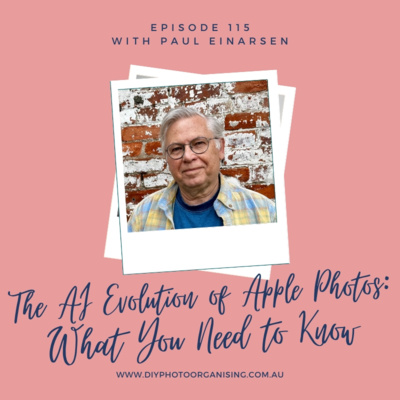
115 | The AI Evolution of Apple Photos: What You Need to Know
From recognising faces to sorting memories, AI is quietly transforming how we interact with our photos. What once felt like a chore can now feel intuitive, even enjoyable, if we understand how to make the most of the tools we already have.
In this episode, we take a fresh look at Golden Rule #4: Sort and Organise, exploring how AI is reshaping the way we manage our digital photo collections, connect with our memories, and tell our stories through images.
Our focus is on Apple Photos, and we’re joined by special guest Paul Einarsen, an expert in helping people organise and share their photos using Apple’s tools.
Together, we unpack how artificial intelligence is transforming photo management within the Apple ecosystem, what’s new, what’s quietly powerful, and how you can work smarter, not harder, to enjoy your photo library.
What You’ll Hear in This Episode
How AI is making it easier to curate and enjoy your photo memories
Apple’s privacy-first approach to processing your photos
Simple ways to get started with People & Pets tagging
How Apple Photos finds and merges duplicates while keeping the best version
Why keywords are becoming less relevant, and captions matter more for storytelling
Seeing your photo collection as a “living document” that evolves with you
How automatic collections can ease photo overwhelm
Practical tips to build enjoyable, sustainable photo-management habits
Why It Matters
AI is changing more than the way we sort photos — it’s reshaping how we connect with our memories. The good news? Your iPhone and Mac already have powerful tools built in. With a little know-how and small, consistent habits, you can keep your photo library organised enough to enjoy, because it’s about reliving memories, not chasing perfection.
Mentioned Links
5 Minute Photos - https://5minutephotos.substack.com/ - Weekly newsletter with tips and insights about photography in 2025 with a focus on the Apple Photos ecosystem.
Bluewater Imaging - https://www.bluewaterimaging.com/ - Consulting, coaching, and done-for-you photo management services.
Bluewater Imaging Photo Workshops - https://learn.bluewaterimaging.com/ - Do-it-yourself online courses for professional photo managers and everyday photographers
New Course - FIND YOUR PHOTOS FAST: How to use the new Apple Photos on iPhone - https://learn.bluewaterimaging.com/p/find-your-photos-fast-using-the-new-apple-photos-on-iphone-1
Related episodes
Episode 004 Golden Rule 3 – Create a Hub
Episode 005 Golden Rule 4 – Sort and Organise (Part 1 – Digital Photos)
Episode 009 Understanding Photo Metadata
Episode 018 Manage your photos using your iPhone
Episode 063 The Magic of Maintenance
Episode 096 The Apple Ecosystem with Paul Einarsen – Blue Water Imaging
Episode 102 Is using only a folder structure outdated?
If you have any photo-related questions we haven't answered yet in one of the previous episodes, please don't hesitate to share them with us via the Wishlist for Future Episodes!
We invite you to have a look through our DIY Photo Organising Courses so you can decide which of these courses might be what you need to help you move forward with your photo organising projects.
If you’d like to learn more about us, go to:
Fiona McLauchlan’s website: www.counsellingmemories.com.au or
Chantal Imbach’s website: www.photosinorder.com.au
If you are not in Melbourne and would like to explore having a Photo Manager help you, check out www.thephotomanagers.com to find help closer to home.
*affiliate link
114 | How 2.1 Trillion Photos are Affecting the Planet and Us
What little choices in your photo habits might make a big difference—for you and the planet?
In this eye-opening episode, Fiona and Chantal delve into the hidden impact of the staggering 2.1 trillion photos expected to be taken in 2025.
Together, we explore the ripple effects of our photo-taking and storing habits—on the environment, our mental wellbeing, and the way we connect with others. With gentle insights and practical tips, this episode encourages you to rethink your relationship with your photo library—from cloud backups to emotional overload, from printing practices to digital clutter.
What You’ll Hear in This Episode
Mind-blowing stats: What 2.1 trillion photos a year really means
The environmental toll of digital storage: cloud servers, cooling systems, e-waste & energy use
The carbon footprint of printed photos (and what to consider before you hit “print”)
The mental load of photo overwhelm: decision fatigue, anxiety, and the myth of “infinite storage”
How photos impact social dynamics and intergenerational storytelling
Practical and sustainable photo management tips to reduce your footprint without losing your memories
Why It Matters
By bringing more intention, sustainability, and self-awareness to our photo habits, we can reduce our impact—on the planet and ourselves—and reconnect with the purpose behind the memories we choose to keep.
Related episodes
Episode 060 How many photos do we really need?
Episode 072 Which 100 photos would you choose to document your life?
Episode 103 Swedish Death Cleaning and Photos with Caroline Guntur – The Swedish Organizer
If you have any photo-related questions we haven't answered yet in one of the previous episodes, please don't hesitate to share them with us via the Wishlist for Future Episodes!
We invite you to have a look through our DIY Photo Organising Courses so you can decide which of these courses might be what you need to help you move forward with your photo organising projects.
If you’d like to learn more about us, go to:
Fiona McLauchlan’s website: www.counsellingmemories.com.au or
Chantal Imbach’s website: www.photosinorder.com.au
If you are not in Melbourne and would like to explore having a Photo Manager help you, check out www.thephotomanagers.com to find help closer to home.
*affiliate link
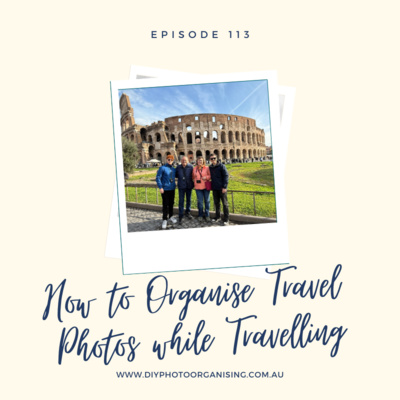
113 | How to Organise Travel Photos while Travelling - A Peek Behind the Scenes
How do you keep your photos safe and organised while you travel?
This episode takes you behind the scenes of Chantal’s 12-week family adventure through Europe to share the simple system that kept their photos organised from day one.
What You’ll Hear in This Episode
Pre-trip planning tips – how a little preparation can save you hours later.
The daily photo routine – a quick practice that stopped photo chaos in its tracks.
Managing multiple devices – from four iPhones and two cameras, we explain how it all came together.
Backup strategies that work on the go – because having multiple copies is peace of mind.
What worked (and what didn’t!) – honest lessons learned from real-life travel.
Why It Matters
Organising photos while you travel isn’t about perfection—it’s about peace of mind.
Related episodes
Episode 002 Golden Rule 1 - Backup
Episode 005 Golden Rule 4 – Sort and Organise (Part 1 – Digital Photos)
Episode 016 Keep photos safe while travelling
Episode 038 Learn how to take photos you will want to keep - with guest Lauren Sandford
Episode 058 Time to get your Backup sorted!
Episode 087 Transferring Android phone photos to a computer
Episode 090 How to share your family photos using SmugMug
Episode 093 Digital Photo Management on the Go
Episode 112 Photo management resources packed with fabulous ideas
If you have any photo-related questions we haven't answered yet in one of the previous episodes, please don't hesitate to share them with us via the Wishlist for Future Episodes!
We invite you to have a look through our DIY Photo Organising Courses so you can decide which of these courses might be what you need to help you move forward with your photo organising projects.
If you’d like to learn more about us, go to:
Fiona McLauchlan’s website: www.counsellingmemories.com.au or
Chantal Imbach’s website: www.photosinorder.com.au
If you are not in Melbourne and would like to explore having a Photo Manager help you, check out www.thephotomanagers.com * to find help closer to home.
*affiliate link
112 | Photo management resources packed with fabulous ideas
For years, our industry has celebrated September as Save Your Photos Month, dedicated to photo preservation and management. Throughout the month, professionals host free events covering various topics to help you protect and organise your photos.
This year, The Photo Managers are thrilled to offer exciting YouTube LIVE events twice a week, along with locally hosted gatherings by professional photo organizers around the globe. Don’t miss out on this opportunity to receive free training and join a fantastic community!
Be sure to sign up here for reminders and updates about upcoming SYPM events.
As Fiona completes her studies and final exams, and with Chantal traveling for a few months, our podcast will be on a brief hiatus. We’ll return refreshed early next year.
In the meantime, we encourage you to make the most of Save Your Photos Month (sign up for free here) and explore our partners’ courses. Why not take this time to upskill and learn something new to better manage your photos? There’s something for everyone, whether you're looking for a short or a comprehensive course. Check them out here.
Mentioned Links
Related episodes
Episode 002 Golden Rule 1 - Backup
Episode 005 Golden Rule 4 – Sort and Organise (Part 1 – Digital Photos)
Episode 006 Golden Rule 4 – Sort and Organise (Part 2 – Printed Photos)
Episode 007 Golden Rule 5 – Do Something!
Episode 008 Create a Yearly Photobook
Episode 016 Keep photos safe while travelling
Episode 017 What does a Photo Organiser do?
Episode 024 Transferring photos from iPhone to Windows PC
Episode 026 Will your Photos survive a Disaster?
Episode 034 Storytelling with Your Photos with Mara Morrison - The Filing Fairies
Episode 037 Exploring Genealogy with Caroline Guntur - The Swedish Organizer
Episode 038 Learn how to take photos you will want to keep! with Lauren Sandford- The Eternal Second
Episode 045 Questions People Ask 3 How do I add tags in Windows Explorer?
Episode 054 How to Design your 2020 Year Book
Episode 055 Questions People Ask 7 How do I take memorable Christmas Photos?
Episode 056 2021 Trends in Photography
Episode 057 Story Jotting with Katie Chambers- Memories to Legacy
Episode 058 Time to get your Backup sorted!
Episode 067 DIY Photo Organising Courses with Miss Freddy, Adam Pratt and Caroline Guntur
Episode 069 Photo traditions to document growth and change
Episode 072 Which 100 photos would you choose to document your life?
Episode 073 What is Save Your Photos Month?
Episode 075 A listener’s photo journey - with Lisa Johnston - listener
Episode 082 Planning Photo Projects
Episode 088 Expert tips on photo archiving with Kate Jacus - The Photo Curator
Episode 094 What’s A Photo Without Story with Hazel Thornton – Organized for Life and Beyond
Episode 101 Design Photo Books like a Pro with Libby Jeffery - Momento
Episode 102 Is using only a folder structure outdated?
Episode 104 Photo Project Ideas and a Real Life Example
If you have any photo-related questions we haven't answered yet in one of the previous episodes, please don't hesitate to share them with us via the Wishlist for Future Episodes!
We invite you to have a look through our DIY Photo Organising Courses so you can decide which of these courses might be what you need to help you move forward with your photo organising projects.
If you’d like to learn more about us, go to:
Fiona Staff’s website: www.photohelper.com.au or
Chantal Imbach’s website: www.photosinorder.com.au
If you are not in Melbourne and would like to explore having a Photo Manager help you, check out www.thephotomanagers.com to find help closer to home.
Some links might be affiliate links
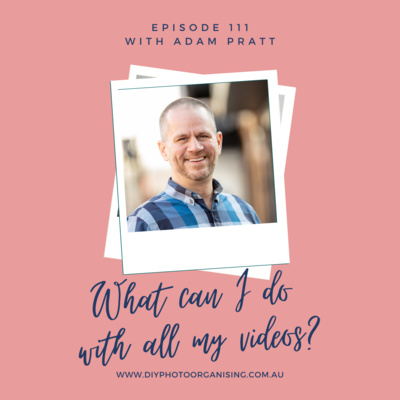
111 | What can I do with all my videos?
Today we are going to talk about identifying, converting and managing videos and home movies. Videos are of course part of our collection, and we feel is very important for us to do an episode just on videos – so we brought in and expert to explore this topic with us: Adam Pratt from Chaos to Memories.
Regular listeners might remember Adam from previous episodes, and you might also remember that we love his courses*, about which we talked in episode 67. He has added new ones in the meantime and we highly encourage you to check them out.
Adam loves people, photography, and a good story. After working at Adobe for 22 years he founded Chaos to Memories which is a professional photo and video preservation studio in Chicago. He’s also the author of the best-selling book, Declutter Your Photo Life about which we talked in episode 92.
Today, we will talk about videos and movies specifically because photos and movies are of course similar but different.
We are not only discussing and listing what to gather when you want to tackle this project, we also talk about preserving - which is the conversion from old to new media (check out episode 42) - and decluttering.
Finally, we chat about the fun part once everything is organised. And yes, we agree with Adam in saying that we recommend culling the unnecessary and unneeded videos, sorting them and adding some metadata before starting to create projects. It will be so much easier and so much fun!
Mentioned Links
Related episodes
Episode 003 Golden Rule 2 – Know Your Why
Episode 004 Golden Rule 3 – Create a Hub
Episode 007 Golden Rule 5 – Do Something!
Episode 024 Transferring photos from iPhone to Windows PC
Episode 042 What format is that? Converting Old Media to Digital with Adam Pratt- Chaos to Memories
Episode 067 DIY Photo Organising Courses with Miss Freddy, Adam Pratt and Caroline Guntur
Episode 082 Planning Photo Projects
Episode 092 Declutter Your Photo Life with Adam Pratt - Chaos to Memories
If you have any photo-related questions we haven't answered yet in one of the previous episodes, please don't hesitate to share them with us via the Wishlist for Future Episodes!
We invite you to have a look through our DIY Photo Organising Courses so you can decide which of these courses might be what you need to help you move forward with your photo organising projects.
If you’d like to learn more about us, go to:
Fiona Staff’s website: www.photohelper.com.au or
Chantal Imbach’s website: www.photosinorder.com.au
If you are not in Melbourne and would like to explore having a Photo Manager help you, check out www.thephotomanagers.com to find help closer to home.
*affiliate link
110 | Roadblocks in photo management and how to overcome them
We’ve all been there! We finally want to tackle that photo organising project, we’re off to a good start and motivated and then we encounter the first roadblock which stops us in our tracks. Next thing we know: we are procrastinating and the project comes to a halt.
Here are some of the most common roadblocks we have encoutered:
- Not knowing where to start
- Too many photos and pictures everywhere
- Too many software options
- Deciding whether to scan photos vs negatives
- Which is the right scanning equipment?
- What to do after you have scanned photos - archive them in albums or boxes?
- Do I want my photos in books and in which order? Chronological or just done?
- Figuring out dates of undated photos
- Tell one person's story? Or integrate several chronologically?
- Time and place to work on a project without interruption
We discuss solutions to all those roadblocks and also invite you to listen to episodes 49 and 106 that are all about how to stop procrastination (see links in related episodes below)! And don’t forget to download our free e-guide about this very topic here!
Mentioned Links
- Free e-Guide https://www.diyphotoorganising.com.au/lp-stop-procrastinating-guide/
Related episodes
Episode 002 Golden Rule 1 - Backup
Episode 003 Golden Rule 2 – Know Your Why
Episode 004 Golden Rule 3 – Create a Hub
Episode 005 Golden Rule 4 – Sort and Organise (Part 1 – Digital Photos)
Episode 006 Golden Rule 4 – Sort and Organise (Part 2 – Printed Photos)
Episode 007 Golden Rule 5 – Do Something!
Episode 013 Scan or not to Scan
Episode 023 5 Steps to get you Started NOW
Episode 031 What to do with inherited photos
Episode 033 5 Golden Rules Highlights
Episode 034 Storytelling with Your Photos with Mara Morrison - The Filing Fairies
Episode 047 What should I do with my old photo albums?
Episode 049 How to Stop Procrastinating about your Photos
Episode 057 Story Jotting with Katie Chambers- Memories to Legacy
Episode 059 What Photo Management Software is Right for Me?
Episode 067 DIY Photo Organising Courses with Miss Freddy, Adam Pratt and Caroline Guntur
Episode 070 Realistic time frames in Photo Organising
Episode 071 Realistic time frames when Scanning
Episode 072 Which 100 photos would you choose to document your life?
Episode 076 What to do with slides
Episode 082 Planning Photo Projects
Episode 088 Expert tips on photo archiving with Kate Jacus - The Photo Curator
Episode 089 5 tips for sorting printed photos
Episode 094 What’s A Photo Without Story with Hazel Thornton – Organized for Life and Beyond
Episode 095 What to do with Negatives
Episode 097 How a timeline can help with photo organising
Episode 104 Photo Project Ideas and a Real Life Example
Episode 106 How to move forward and stop procrastinating
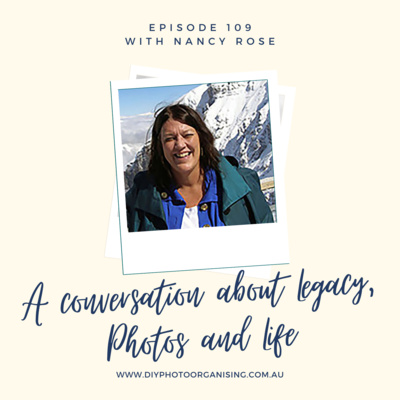
109 | A Conversation about Legacy, Photos and Life
Also published on our YouTube channel.
We are honoured to have another wonderful guest with us: Nancy Rose from the Compass Rose Legacy Foundation. Nancy is a Legacy Doula and the Executive Director of Compass Rose Legacy Foundation. Her lens captures the profound beauty of human stories and the moments that define our legacies.
Join us to find out what we mean when we talk about a legacy, what it encompasses and how a possible outcome might look like.
Find out how Nancy helps people to capture the essence of their life and to find the soul thread, as she calls it. She shares touching and some personal stories that you will hopefully find as inspiring as we do.
You will be astonished to hear that she has brought her personal legacy down to 5 - yes, that’s five!!! - pictures and stories to capture the core of her life story.
Nancy also shares some practical tips and tools she uses to capture stories and much more.
Again, please watch it here (and subscribe to the channel, we might add more videos in the future) and share with anybody who might be interested - thanks!
Mentioned Links
- https://www.compassroselegacy.org/
- DIY Photo Organising YouTube channel
Related episodes
Episode 003 Golden Rule 2 – Know Your Why
Episode 007 Golden Rule 5 – Do Something!
Episode 031 What to do with inherited photos
Episode 034 Storytelling with Your Photos with Mara Morrison - The Filing Fairies
Episode 037 Exploring Genealogy with Caroline Guntur - The Swedish Organizer
Episode 057 Story Jotting with Katie Chambers- Memories to Legacy
Episode 072 Which 100 photos would you choose to document your life?
Episode 077 Why bother preserving your photos?
Episode 082 Planning Photo Projects
Episode 088 Expert tips on photo archiving with Kate Jacus - The Photo Curator
Episode 094 What’s A Photo Without Story with Hazel Thornton – Organized for Life and Beyond
Episode 103 Swedish Death Cleaning and Photos with Caroline Guntur – The Swedish Organizer
If you have any photo-related questions we haven't answered yet in one of the previous episodes, please don't hesitate to share them with us via the Wishlist for Future Episodes!
We invite you to have a look through our DIY Photo Organising Courses so you can decide which of these courses might be what you need to help you move forward with your photo organising projects.
If you’d like to learn more about us, go to:
Fiona Staff’s website: www.photohelper.com.au or
Chantal Imbach’s website: www.photosinorder.com.au
If you are not in Melbourne and would like to explore having a Photo Manager help you, check out www.thephotomanagers.com to find help closer to home.
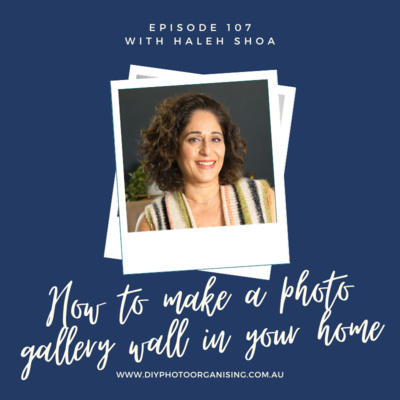
108 | How to make a photo gallery wall in your home
This episode has to do with our Golden Rule 5 - Do something! What we mean is find means to bring your photos back into your life so you can enjoy them.
One beautiful way of doing so is creating a photo wall or a photo gallery in your home. We are excited to have our colleague and expert Haleh Shoa from Picturli back for this episode!
She not only shares some practical tips but actually shows us how she designs a photo wall using Canva. Hence, we strongly encourage you to watch this episode rather than listen. If you prefer to listen, click here to see the screenshots of the visuals she shared with us.
You don’t necessarily need Canva to design your photo wall, Haleh also shares some simple tips about how to tackle it without digital help.
We talk about
- where in the home a photo wall can be,
- what we can display - hint: not just photos!
- pros and cons of using frames and what substrates photos can be printed on,
- how to arrange the pictures and memorabilia
- designing a picture wall with and without Canva
Again, please watch it here (and subscribe to the channel, we might add more videos in the future) and share with anybody who might be interested - thanks!
Mentioned Links
Related episodes
- Episode 007 Golden Rule 5 – Do Something!
- Episode 021 Managing your photos using Android Phone and Google Photos with Haleh Shoa - Picturli
- Episode 033 5 Golden Rules Highlights
- Episode 051 Artwork
- Episode 069 Photo traditions to document growth and change
- Episode 072 Which 100 photos would you choose to document your life?
- Episode 082 Planning Photo Projects
- Episode 104 Photo Project Ideas and a Real Life Example
If you have any photo-related questions we haven't answered yet in one of the previous episodes, please don't hesitate to share them with us via the Wishlist for Future Episodes!
We invite you to have a look through our DIY Photo Organising Courses so you can decide which of these courses might be what you need to help you move forward with your photo organising projects.
If you’d like to learn more about us, go to:
Fiona Staff’s website: www.photohelper.com.au or
Chantal Imbach’s website: www.photosinorder.com.au
If you are not in Melbourne and would like to explore having a Photo Manager help you, check out www.thephotomanagers.com to find help closer to home.
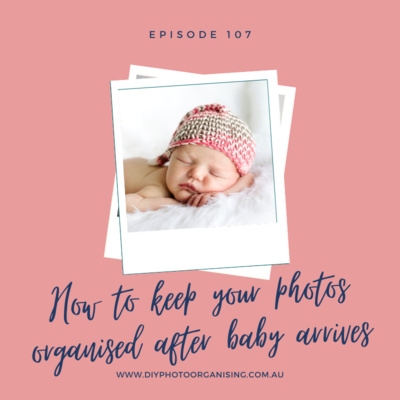
107 | How to keep your photos organised after baby arrives
Are you expecting a baby? Then this episode is totally for you! Even if you have already welcomed your baby recently, we encourage to join us, we’re sure there is a tip or two for everyone with children.
When a new baby comes into our life, many things change and sometimes routines and habits simply fly out the window and life can get a bit chaotic. Before we know it, photo chaos has taken over and we are drowning in cute baby photos.
Listen in to hear some tips about how you can stay on top of things when it comes to your photo management. One key is preparation. Now is not the time to work through your backlog of thousands of photos. However, if you can, make sure that your backlog is backed up so it will be there once you are ready to curate that collection.
Nothing stops you from implementing a system if you haven’t got one yet. Regularly transfer your photos to your photo hub and back it up using the 3-2-1 method (more about that in our 5 Golden Rules episodes). Hone your skills before baby arrives and it will be so much easier for you.
This great new iPhone app to help clean up your camera roll is Ollie*. You can get it at a discounted rate using this link* and the code DIYPHOTO20.
Also a great place to start is to take one of Miss Freddy’s courses, especially the Backup Bootcamp* or check out the many courses over at The Photo Managers Academy* to find a suitable course.
Finally, we’ like to encourage you to be mindful about privacy when sharing photos. Refer to Episode 099 to learn more about this topic. You even might want to have a chat with relatives about it, too, so that nobody shares photos of your children if you’re not comfortable with it.
Mentioned Links / Products
Related episodes
Episode 002 Golden Rule 1 - Backup
Episode 003 Golden Rule 2 – Know Your Why
Episode 004 Golden Rule 3 – Create a Hub
Episode 005 Golden Rule 4 – Sort and Organise (Part 1 – Digital Photos)
Episode 018 Manage your photos using your iPhone
Episode 023 5 Steps to get you Started NOW
Episode 033 5 Golden Rules Highlights
Episode 038 Learn how to take photos you will want to keep! with Lauren Sandford- The Eternal Second
Episode 049 How to Stop Procrastinating about your Photos
Episode 052 Questions People Ask 5 How do I gather photos from other family members?
Episode 053 Questions People Ask 6 How do I share photos with others?
Episode 057 Story Jotting with Katie Chambers- Memories to Legacy
Episode 058 Time to get your Backup sorted!
Episode 060 How many photos do we really need?
Episode 063 The Magic of Maintenance
Episode 067 DIY Photo Organising Courses with Miss Freddy, Adam Pratt and Caroline Guntur
Episode 069 Photo traditions to document growth and change
Episode 080 5 Essential Photo Management Tips
Episode 099 Privacy Terms when sharing Photos with Allison Freedman – Arrange Wander Focus
If you have any photo-related questions we haven't answered yet in one of the previous episodes, please don't hesitate to share them with us via the Wishlist for Future Episodes!
We invite you to have a look through our DIY Photo Organising Courses so you can decide which of these courses might be what you need to help you move forward with your photo organising projects.
If you’d like to learn more about us, go to:
Fiona Staff’s website: www.photohelper.com.au or
Chantal Imbach’s website: www.photosinorder.com.au
If you are not in Melbourne and would like to explore having a Photo Manager help you, check out www.thephotomanagers.com to find help closer to home.
* We want to keep this podcast is ad-free. Instead, we have partnered with affiliate course creators we highly recommend and hence earn a little commission if you buy a course through us. If you do so, you help us running the podcast and we thank you from the bottom of our hearts!
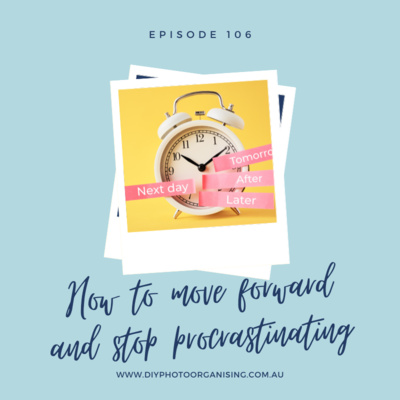
106 | How to move forward and stop procrastinating
Are you good at procrastinating about your photos? Well, you are not alone!
Since Chantal is planning to run mini-classes / workshops soon she recently conducted a survey to find out what readers and listeners are interested in most. The clear winner was ‘How to Stop Procrastinating about my Photos’.
Interestingly, Fiona and Chantal have already created an e-guide (downloadable here) about that very topic.
Since it seems to be such a popular topic, we are re-visiting some of its content and are diving a bit deeper in some of the reasons why we tend to procrastinate when it comes to our photos and what we can do about it.
Possible and typical reasons are for example the lack of knowledge of how to do something, using goals that are too abstract or perfectionism.
Get our free e-guide to see more details here!
The big question is how we can overcome procrastination and, unsurprisingly, we recommend to become really clear about your Why, which is our Golden Rule 2.
Not only this, we are also talking about individual’s core values such as integrity, honesty, creativity and many more, and how these can influence our Why. As always, we are using practical examples that hopefully encourage you to getting started.
Mentioned Links / Products
Survey re online classes
E-guide How to Stop Procrasting about your Photos
Related episodes
Episode 003 Golden Rule 2 – Know Your Why
Episode 023 5 Steps to get you Started NOW
Episode 032 New Year’s Resolutions with your photos
Episode 033 5 Golden Rules Highlights
Episode 049 How to Stop Procrastinating about your Photos
Episode 070 Realistic time frames in Photo Organising
Episode 082 Planning Photo Projects
If you have any photo-related questions we haven't answered yet in one of the previous episodes, please don't hesitate to share them with us via the Wishlist for Future Episodes!
We invite you to have a look through our DIY Photo Organising Courses so you can decide which of these courses might be what you need to help you move forward with your photo organising projects.
If you’d like to learn more about us, go to:
Fiona Staff’s website: www.photohelper.com.au or
Chantal Imbach’s website: www.photosinorder.com.au
If you are not in Melbourne and would like to explore having a Photo Manager help you, check out www.thephotomanagers.com to find help closer to home.
105 | How Mylio changes the way the world remembers
We are excited and honoured to welcome David Vaskevitch from Mylio Photos today.
Tune in to find out why he thinks of Mylio Photos not only as his second heart but also his second brain. He shares some of his personal stories that wonderfully show how a good photo management program can help us keep memories alive and also have fun with our photos.
We learn about various features Mylio Photos offers, such as:
- importing photos, videos and documents from various sources
- the event feature, which he calls the ‘Life Calendar’
- the easy implementation of the 3-2-1 backup method we always promote (find out more in episode #002)
- the fact that Mylio Photos works across all platforms. It doesn’t matter, whether you use an iPhone, an Android phone, a PC or a Mac. It simply works for every device.
- the new deduplication and decluttering feature and
- the shared albums option.
There are many more things to learn about Mylio Photos and as David said: “learning Mylio is a journey and you can start small”. He encourages us all to not shy away from it because it might look overwhelming at first glance. In his words: “if you learned to drive a car, you can easily learn Mylio!”
We encourage you to have a look at this program, especially if you don’t use another one yet and are looking for a solution to store and manage your memories. Check it out here. You can start with the free plan before making any decisions.
Mylio Photos also has a great support team that can help you if you have questions or find lots of tutorials over at their YouTube channel.
Mentioned Links
- Download Mylio Photos (affiliate link)
- Mylio Photos YouTube channel
Related episodes
Episode 002 Golden Rule 1 – Backup
Episode 004 Golden Rule 3 – Create a Hub
Episode 005 Golden Rule 4 – Sort and Organise (Part 1 – Digital Photos)
Episode 009 Understanding Photo Metadata
Episode 016 Keep photos safe while travelling
Episode 019 Synchronising vs Backing Up
Episode 024 Transferring photos from iPhone to Windows PC
Episode 026 Will your Photos survive a Disaster?
Episode 028 What to do with your Work Photos
Episode 030 Backing up Apple Devices without iTunes
Episode 039 Photos that DON’T belong in a Photo Collection
Episode 044 Questions People Ask 2 How do I rename my photos?
Episode 052 Questions People Ask 5 How do I gather photos from other family members?
Episode 053 Questions People Ask 6 How do I share photos with others?
Episode 058 Time to get your Backup sorted!
Episode 059 What Photo Management Software is Right for Me?
Episode 066 Make your photos searchable with keywords
Episode 087 Transferring Android phone photos to a computer
Episode 093 Digital Photo Management on the Go
Episode 102 Is using only a folder structure outdated?
If you have any photo-related questions we haven't answered yet in one of the previous episodes, please don't hesitate to share them with us via the Wishlist for Future Episodes!
We invite you to have a look through our DIY Photo Organising Courses so you can decide which of these courses might be what you need to help you move forward with your photo organising projects.
If you’d like to learn more about us, go to:
Fiona Staff’s website: www.photohelper.com.au or
Chantal Imbach’s website: www.photosinorder.com.au
If you are not in Melbourne and would like to explore having a Photo Manager help you, check out www.thephotomanagers.com to find help closer to home.
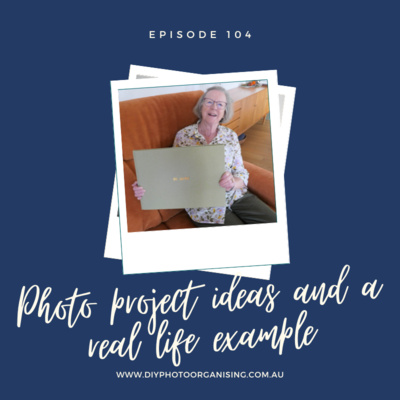
104 | Photo project ideas and a real life example
Before we start with the actual topic of this episode, Chantal would like to ask you for a favour. She is planning to offer short online classes in the future. She’d really appreciate if you could take a minute to fill in this survey for her so she can find out what you are most interested in.
Now on to our today’s topic:
Chantal just came back from Switzerland where she helped celebrate her mum’s 80th birthday. Of course, that involved some photo gifts.
Hence, today she can share with us what she created and how she went about it. It’s a real life case study, so to speak.
We are talking about four projects she did:
- A printed A3 photo book of mum’s life
- A Nixplay (digital photo frame) playlist with photos used in book, displayed during the celebrations
- Peg line with fairy lights to decorate the room on the day of the celebration with printed photos of mum
- A memory scrapbook using photos taken and printed on the day of the celebration with messages from visitors and guests
Chantal not only describes what the projects were but also how she tackled each of the projects. We discuss the process, the design steps including what the struggles and what the easy parts were.
There will also be one or two blog posts about that topic over at Photos In Order’s blog page.
Mentioned Links / Products
- To the survey re online classes
- https://www.momento.com.au/
- 10” Nixplay frame
- Instax Square Link Smartphone Printer by Fujifilm
- 8x8 Creative Memory book, empty pages with protective sleeves (affiliate link)
- Blog at Photos In Order: www.photosinorder.com.au/blog
Related episodes
Episode 008 Create a Yearly Photobook
Episode 012 Fabulous Photo Gift Ideas
Episode 027 Photo Gifts for Christmas
Episode 052 Questions People Ask 5 How do I gather photos from other family members?
Episode 054 How to Design your 2020 Year Book
Episode 061 Photo Gift Ideas for Mother’s Day
Episode 066 Make your photos searchable with keywords
Episode 082 Planning Photo Projects
Episode 101 Design Photo Books like a Pro with Libby Jeffery - Momento
If you have any photo-related questions we haven't answered yet in one of the previous episodes, please don't hesitate to share them with us via the Wishlist for Future Episodes!
We invite you to have a look through our DIY Photo Organising Courses so you can decide which of these courses might be what you need to help you move forward with your photo organising projects.
If you’d like to learn more about us, go to:
Fiona Staff’s website: www.photohelper.com.au or
Chantal Imbach’s website: www.photosinorder.com.au
If you are not in Melbourne and would like to explore having a Photo Manager help you, check out www.thephotomanagers.com to find help closer to home.

103 | Swedish Death Cleaning and Photos with Caroline Guntur
We are thrilled to have Caroline Guntur from The Swedish Organizer back as our special guest to talk about the approach author Margareta Magnusson describes in her book The Gentle Art of Swedish Death Cleaning.
Caroline has recently written a blog post that drew our attention: Respectfully, This is the ONE Thing Swedish Death Cleaning Gets Completely Wrong. We could really relate to what she has written and wanted to hear and learn more about her take on The Swedish Death Cleaning approach.
Whilst we of course talk about photos and memories, Caroline also gives us an overview and explanation where The Swedish Death Cleaning comes from and how ingrained it is in her culture. How it’s about downsizing, minimising our footprint, consuming only what we need and pay it forward to others if we have too much.
It is a long-term approach and philosophy rather than a once-off big decluttering and organising project, and this episode is definitely one not to be missed!
Having said this, there is (as always) no wrong or right. However, approaching this method in a different order of operation - as Caroline suggests - makes sense to us and you also might be interested to learn more about it and to give it a go.
If you do need help for your photo management, we encourage you to check out Caroline’s courses*. They are very thorough and well structured and come highly recommended.
Mentioned Links
- Caroline’s blog: https://www.organizingphotos.net
- Caroline’s website: https://www.theswedishorganizer.com
Related episodes
Episode 079 When should I organise my photos when decluttering my home?
Episode 003 Golden Rule 2 – Know Your Why
Episode 011 KonMari your Photos?
Episode 037 Exploring Genealogy with Caroline Guntur - The Swedish Organizer
Episode 034 Storytelling with Your Photos with Mara Morrison - The Filing Fairies
Episode 039 Photos that DON’T belong in a Photo Collection
Episode 057 Story Jotting with Katie Chambers- Memories to Legacy
Episode 082 Planning Photo Projects
Episode 094 What’s A Photo Without Story with Hazel Thornton – Organized for Life and Beyond
If you have any photo-related questions we haven't answered yet in one of the previous episodes, please don't hesitate to share them with us via the Wishlist for Future Episodes!
We invite you to have a look through our DIY Photo Organising Courses so you can decide which of these courses might be what you need to help you move forward with your photo organising projects.
If you’d like to learn more about us, go to:
Fiona Staff’s website: www.photohelper.com.au or
Chantal Imbach’s website: www.photosinorder.com.au
If you are not in Melbourne and would like to explore having a Photo Manager help you, check out www.thephotomanagers.com to find help closer to home.
*affiliate link
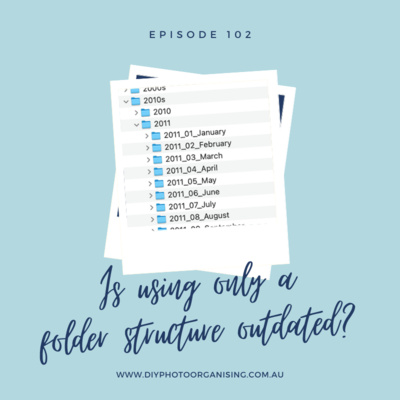
102 | Is using only a folder structure outdated?
The short answer is: No, it seems it is not outdated!
Findings from a recent survey we conducted amongst our listeners showed that using a simple folder structure as opposed to a photo management program is not as out of fashion as we might have thought.
Listen in to find out
- where people store their digital photos,
- how they structure their folders of their photo collection and
- which programs they use to manage them.
We also respond to some comments and questions such as what to do when running out of storage space on your computer, or if you’d rather not use the cloud and many more.
We were especially pleased to hear from multiple listeners that they have put the 3-2-1 backup system in place - bravo! If you haven’t got a system in place yet, check out our episode Episode 002 Golden Rule 1 - Backup.
Mentioned Links
Access a prepared folder structure and download for free here
Related episodes
Episode 005 Golden Rule 4 – Sort and Organise (Part 1 – Digital Photos)
Episode 006 Golden Rule 4 – Sort and Organise (Part 2 – Printed Photos)
Episode 023 5 Steps to get you Started NOW
Episode 046 Questions People Ask 4 What is your take on Photo Sticks?
Episode 049 How to Stop Procrastinating about your Photos
Episode 063 The Magic of Maintenance
Episode 089 5 tips for sorting printed photos
Episode 096 The Apple Ecosystem with Paul Einarsen – Blue Water Imaging
If you have any photo-related questions we haven't answered yet in one of the previous episodes, please don't hesitate to share them with us via the Wishlist for Future Episodes!
We invite you to have a look through our DIY Photo Organising Courses so you can decide which of these courses might be what you need to help you move forward with your photo organising projects.
If you’d like to learn more about us, go to:
Fiona Staff’s website: www.photohelper.com.au or
Chantal Imbach’s website: www.photosinorder.com.au
If you are not in Melbourne and would like to explore having a Photo Manager help you, check out www.thephotomanagers.com to find help closer to home.

101 | Design Photo Books like a Pro
Meet Libby from Momento in Sydney and discover how this Australian photo book printing company came into existence - as the second one in the world at the time - and how they are serving their clients in Australia and New Zealand today.
Momento is so much more than a printing company. The three founders, of which Libby is one, came from the world of digital media in the mid 1990s and met when working for a CD-ROM company.
They loved photography, travel and also family memories. Because they couldn’t find a printing company that suited their needs and fulfilled their printing quality requirements, they started their own business, offering exactly this! One of the main focus for them is accuracy in colour reproduction and quality at every level has been their defining feature. They even developed their own book designing software, which is accessible for free.
Interestingly, one of Libby’s first books was her dad’s memoirs, bringing together decades of photos. We can’t but agree when she shares how book creation is about story telling.
We are also talking about different formats and sizes of books, and how to choose the right one. There are different paper options, too, and Libby explains which one is good depending on the purpose and kind of book. She also shares many more practical tips that start long before the book design … namely, when taking photographs!
One of her favourite ways to pass on family history is through recipe books, for which Momento has developed various templates if you don’t want to create your own.
She says: ‘Making a photo book is not just about you, it is also for those people in the future who won’t be sitting beside you when they’re looking through it, who get to learn about you and through learning about you, they learn about themselves.’
Momento offers something for every taste: whether you want to design minimalistic photo books with lots of white space or are a scrapbooker who likes frames, embellishments, background and other decorative features, they’ve got you covered.
Libby encourages us to let the purpose of the book guide us and to turn a book from a record into a keepsake by adding stories.
If you need more inspiration go to https://www.momento.com.au/inspiration and don’t forget that they offer a special to our listeners with
25 % off your next Momento photo book (offer valid until 31 October 2023).
Mentioned Links
- Momento
- How to start a photo book with Autofill
- How to design a photo book using templates
- 25 % off your next Momento photo book
Related episodes
Episode 007 Golden Rule 5 – Do Something!
Episode 008 Create a Yearly Photobook
Episode 027 Photo Gifts for Christmas
Episode 034 Storytelling with Your Photos with Mara Morrison - The Filing Fairies
Episode 038 Learn how to take photos you will want to keep! with Lauren Sandford- The Eternal Second
Episode 054 How to Design your 2020 Year Book
Episode 057 Story Jotting with Katie Chambers- Memories to Legacy
Episode 072 Which 100 photos would you choose to document your life?
Episode 082 Planning Photo Projects
Episode 094 What’s A Photo Without Story with Hazel Thornton – Organized for Life and Beyond
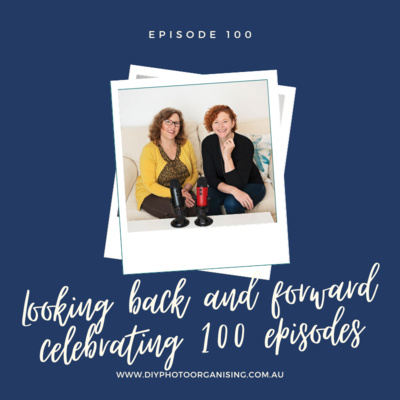
100 | Looking back and forward - celebrating 100 episodes
We can’t believe we’re up to episode 100! It has been an amazing journey and we are so excited to keep going and more motivated than ever. This is also thanks to you, dear listener! Without you, what would be the point?! We’re passionate as ever sharing what we know about photo management with the wider community.
Not only this, our podcast has also become a platform for colleagues and other experts whom we have invited to talk about topics that they know so well and that are relevant for any photo lover. By the way, if there is a topic or a question we haven’t talked about yet or answered, don’t forget to let us know via the Wishlist for Future Episodes.
Join us today as we discuss what has changed over the years and where we’re at in our businesses. We also share our favourite moments of our podcasting journey and much more.
The podcast wouldn’t be what it is without our guests - a big shoutout to them. As a little thank you we are sharing the links to their episodes again here. Please don’t be shy and get in touch with them if you have a question for them or would like to work with them.
Episode 021 Managing your photos using Android Phone and Google Photos with Haleh Shoa - Picturli
Episode 022 Handling Photos through a Separation with Darla DeMorrow – HeartWork Organising
Episode 029 A Look into the World of Photo Organising with Cathi Nelson – The Photo Managers
Episode 034 Storytelling with Your Photos with Mara Morrison - The Filing Fairies
Episode 037 Exploring Genealogy with Caroline Guntur - The Swedish Organizer
Episode 038 Learn how to take photos you will want to keep! with Lauren Sandford- The Eternal Second
Episode 042 What format is that? Converting Old Media to Digital with Adam Pratt- Chaos to Memories
Episode 043 When and Why hire a Professional Photographer with Lauren Sandford - The Eternal Second
Episode 057 Story Jotting with Katie Chambers- Memories to Legacy
Episode 067 DIY Photo Organising Courses with Miss Freddy, Adam Pratt and Caroline Guntur
Episode 075 A listener’s photo journey - with Lisa Johnston - listener
Episode 088 Expert tips on photo archiving with Kate Jacus - The Photo Curator
Episode 090 How to share your family photos using SmugMug with Kaydin Carlsen - SmugMug
Episode 092 Declutter Your Photo Life with Adam Pratt - Chaos to Memories
Episode 094 What’s A Photo Without Story with Hazel Thornton – Organized for Life and Beyond
Episode 096 The Apple Ecosystem with Paul Einarsen – Blue Water Imaging
Episode 098 A new perspective on Photo Organising – with Amy Revell
Episode 099 Privacy Terms when sharing Photos with Allison Freedman – Arrange Wander Focus
If you’d like to learn more about us, go to:
Fiona Staff’s website: www.photohelper.com.au or
Chantal Imbach’s website: www.photosinorder.com.au
If you are not in Melbourne and would like to explore having a Photo Manager help you, check out www.thephotomanagers.com to find help closer to home.
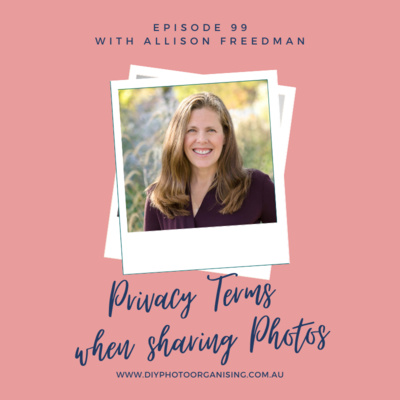
99 | Privacy Terms when Sharing Photos
Many of us are sharing photos with others using different methods. Some put them on social media platforms, others in cloud storage services or some simply email or message photos. Today’s technology makes sharing easy and quick. However, how safe is it in terms of privacy?
Join us and learn from Allison Freedman from Arrange Wander Focus how we can share photos in the safest possible way.
Find out from Allison why we can be our own worst enemy when we share photos and what strategies we can implement when sharing so that our privacy is not violated. Not only this, learn why we should protect our photos as well as a bank account!
Links mentioned in this episode:
https://www.arrangewanderfocus.com/
Related episodes:
Episode 010 Understanding Google Photos
Episode 020 Understanding Amazon Photos
Episode 040 Questions People Ask 1 Should I pay for cloud storage?
Episode 052 Questions People Ask 5 How do I gather photos from other family members?
Episode 053 Questions People Ask 6 How do I share photos with others?
Episode 065 What’s happening with Google Photos?
Episode 090 How to share your family photos using SmugMug
Also, if you have any photo-related questions we haven't answered yet in one of the previous episodes, please don't hesitate to share them with us via the Wishlist for Future Episodes!
We invite you to have a look through our DIY Photo Organising Courses so you can decide which of these courses might be what you need to help you move forward with your photo organising projects.
If you’d like to learn more about us, go to:
Fiona Staff’s website: www.photohelper.com.au or
Chantal Imbach’s website: www.photosinorder.com.au
If you are not in Melbourne and would like to explore having a Photo Manager help you, check out www.thephotomanagers.com to find help closer to home.
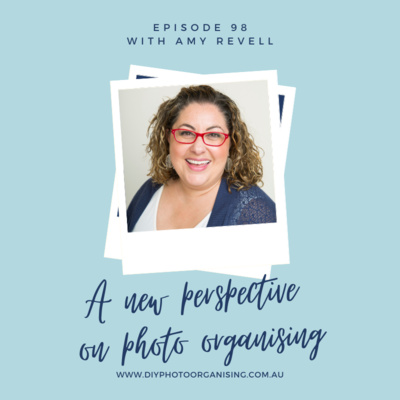
098 | A new perspective on Photo Organising
We are both so grateful for the opportunity to bring you our podcast this month. Amy Revell has many notable achievements in the Professional Organising space including an Award Winning Podcast (The Art of Decluttering) with over 3.5 million downloads, appearances on numerous TV shows, articles in loads of magazines and newspapers, a successful book titled ‘Simply Organised’, and… is an all-round-awesome-human!
Amy and her team at The Art of Declutter apply simple yet effective strategies for decluttering and organising that effortlessly cross over into the area of photo organising.
This podcast episode touches on those practical steps, it carries the heart of Amy’s wisdom of organising, and her love for seeing people set free from their clutter to “pursue the things that truly bring them joy”.
Amy’s tee-shirt-worthy-comments at the end of the episode are definitely worth waiting for!
…sneak peak….
It is not about the stuff
It is never about the stuff
We need stuff
We use stuff
But you are not your stuff
Links to find Amy:
https://www.theartofdecluttering.com.au/
https://www.facebook.com/artofdecluttering
https://www.facebook.com/groups/theartofdeclutteringcommunity
https://www.instagram.com/theartofdecluttering/
https://open.spotify.com/show/1dQr5Epj7hD2scKaRFhIDu
Related episodes:
05 | GR4 Sort and organise Part 1 digital photos
06 | GR4 Sort and organise Part 2 printed photos
33 | 5 Golden Rules of Photo Organising – HIGHLIGHTS
39 | Photos that don’t belong into a photo collection
47 | What should I do with my old photo albums
49 | How to Stop Procrastinating about your Photos
60 | How many photos do we really need?
74 | Dealing with photos that are difficult to look at
79 | Tackle photos when decluttering your home
86 | Expert advice to help people who hoard photos
89 | 5 tips for sorting printed photos
92 | Declutter Your Photo Life
95 | What to do with negatives
Also, if you have any photo-related questions we haven't answered yet in one of the previous episodes, please don't hesitate to share them with us via the Wishlist for Future Episodes!
We invite you to have a look through our DIY Photo Organising Courses so you can decide which of these courses might be what you need to help you move forward with your photo organising projects.
If you’d like to learn more about us, go to:
www.diyphotoorganising.com.au
Fiona Staff’s website: www.photohelper.com.au or
Chantal Imbach’s website: www.photosinorder.com.au
If you are not in Melbourne and would like to explore having a Photo Manager help you, check out www.thephotomanagers.com to find help closer to home.
097 | How a timeline helps with photo organising
As we are organising photos, we usually like to know what happened when. There is a whole range of information we can gather during that process that can help us to date or place photos. This applies to printed and digital photos.
A great tool to help us gather that information that sometimes randomly comes up during the sorting is a timeline.
Some options to record a timeline are:
- A simple note book
- Index cards
- One sheet per year in a binder
- An Excel sheet
- A bubble chart
Links mentioned in this episode:
Our freebie for you! Two simple timeline templates to choose from. Simply go to this link, download your favourite version and print it as often as you like.
The bubble-chart timeline can be found here.
Related episodes:
Episode 05: GR4 Sort and organise part 1 digital photos
Episode 06: GR4 Sort and organise Part 2 printed photos
Episode 89: 5 tips for sorting printed photos
Also, if you have any photo-related questions we haven't answered yet in one of the previous episodes, please don't hesitate to share them with us via the Wishlist for Future Episodes!
We invite you to have a look through our DIY Photo Organising Courses so you can decide which of these courses might be what you need to help you move forward with your photo organising projects.
If you’d like to learn more about us, go to:
Fiona Staff’s website: www.photohelper.com.au or
Chantal Imbach’s website: www.photosinorder.com.au
If you are not in Melbourne and would like to explore having a Photo Manager help you, check out www.thephotomanagers.com to find help closer to home.
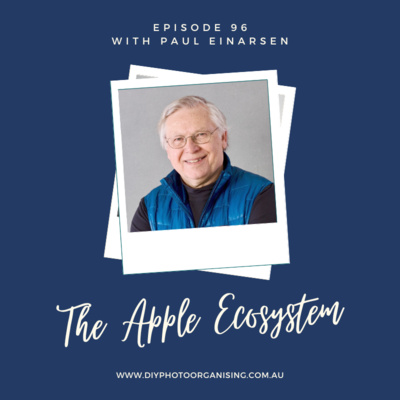
096 | The Apple Ecosystem - with Paul Einarsen
If you are using an iPhone and a Mac, photo management can be really easy by using what you already have: your Apple Photos Library!
We have invited expert Paul Einarsen to learn more about Apple Photos Libraries and the often mentioned Apple Ecosystem.
Some topics we chat about:
- What is the Apple ecosystem?
- What do you need to use it?
- Sharing and synchronising your photos with the family - find out more about the new feature of a shared library and why it is important to have a family photo curator!
- How a shared photos library could be used in a business environment, too.
- How backing up works and how it depends on your settings within your ecosystem (downloading originals or using an optimized storage option).
- Legacy collections and where we're going from here to curate our photo collections.
Links mentioned in this episode:
App to automate photo imports: Hazel
Find Paul at https://www.bluewaterimaging.com/hi-there or email at paul@bluewaterimaging.com. We highly recommend signing up for his weekly 5-minute-tip-newsletter here!
Related episodes:
- GR3 Create a photo hub
- GR4 Sort and organise part 1 digital photos
- Manage your Photos using your iPhone
- Synchronising vs Backing up
- What photo management software is right for me?
Also, if you have any photo-related questions we haven't answered yet in one of the previous episodes, please don't hesitate to share them with us via the Wishlist for Future Episodes!
We invite you to have a look through our DIY Photo Organising Courses so you can decide which of these courses might be what you need to help you move forward with your photo organising projects.
If you’d like to learn more about us, go to:
Fiona Staff’s website: www.photohelper.com.au or
Chantal Imbach’s website: www.photosinorder.com.au
If you are not in Melbourne and would like to explore having a Photo Manager help you, check out www.thephotomanagers.com to find help closer to home.
095 | What to do with negatives
When organising our photos, we inevitably encounter a packet of negatives. So, what do we do with them?
Keep them?
Separate them from the photos they are with?
Throw them out and only keep the photos?
Before we even suggest listening to this podcast episode we are here to suggest you….
Keep them…(please)
In this episode, we talk about
- Your negatives
- Why we recommend keeping them
- Archiving options for your negatives
- The difference between scanning prints and negatives
Links mentioned in this episode:
Book: Declutter Your Photo Life by Adam Pratt
Adam has also kindly provided us with a discount code to receive 40% off if you purchase directly from the publisher.
Use this link:
https://rockynook.com/shop/photography/declutter-your-photo-life/
Use this Coupon Code at checkout:
Declutter40
Related episodes:
•Episode 013 | Scan or Not to Scan
•Episode 042 | What format is that? Converting Old Media to Digital – with Adam Pratt
•Episode 088 | Expert tips on photo archiving
Also, if you have any photo-related questions we haven't answered yet in one of the previous episodes, please don't hesitate to share them with us via the Wishlist for Future Episodes!
We invite you to have a look through our DIY Photo Organising Courses so you can decide which of these courses might be what you need to help you move forward with your photo organising projects.
If you’d like to learn more about us, go to:
Fiona Staff’s website: www.photohelper.com.au or
Chantal Imbach’s website: www.photosinorder.com.au
If you are not in Melbourne and would like to explore having a Photo Manager help you, check out www.thephotomanagers.com to find help closer to home.
Author
Chantal Imbach and Fiona Staff

094 | What's a photo without the Story? (with guest Hazel Thornton)
Join us and our today’s guest Hazel Thornton who gives us an insight about how you can research your own family’s stories - and find out more about the bathing beauty on the book cover of her latest book What’s a Photo Without the Story? How to Create Your Family Legacy!
Discover why it is so important to tell the stories of our photos and how it can be beneficial not only to ourselves. The great thing is that you don’t have to write a book or a biography, you can start small and keep it simple. Hazel’s practical tips will help you along the way.
We love how Hazel offers us different approaches throughout the book such as things to do with
- low effort (do this if nothing else),
- medium effort (your family will thank you) or
- high effort (ask for help if you need it)
The book is meant to help people at all levels - you don’t have to be a photo organiser, writer or genealogist!
Buy the book from here: Amazon and keep an eye out for her next book: Go With the Flow! (The Clutter Flow Chart Workbook)
Mentioned links:
- Hazel’s Legacy Resource Roundup
- Hazel’s Photos & Memorabilia Resource Roundup
- Search for ‘family group sheets’
- https://www.cyndislist.com/australia/
- https://www.ancestry.com/
Hazel Thornton is the creator of The Clutter Flow Chart Collection and is based in Albuquerque, New Mexico. She combines her genealogy research skills and professional organizing experience to help clients tell the stories of their photos, families, and things. Her latest book is called What’s a Photo Without the Story? How to Create Your Family Legacy. Visit her online at www.org4life.com.
Also, if you have any photo-related questions we haven't answered yet in one of the previous episodes, please don't hesitate to share them with us via the Wishlist for Future Episodes!
Related episodes:
Episode 57: Story-jotting with Katie
Episode 37: Exploring Genealogy with Caroline Guntur
Episode 34: Storytelling with your Photos with Mara Morrison
We invite you to have a look through our DIY Photo Organising Courses so you can decide which of these courses might be what you need to help you move forward with your photo organising projects.
If you’d like to learn more about us, go to:
Fiona Staff’s website: www.photohelper.com.au or
Chantal Imbach’s website: www.photosinorder.com.au
If you are not in Melbourne and would like to exploring having a Photo Manager help you, check out www.thephotomanagers.com to find help closer to home.
093 | Digital Photo Management on the Go
We both have been fortunate enough to travel earlier this year. Like everybody else, we both took lots of photos during that time.
There are many different ways you can manage and also back up digital photos while travelling. However, today we are simply sharing what we both did. Some steps were the same, such as a daily purge in which we deleted the duds and other unwanted photos we took.
Others were a bit different because one used the phone only and the other also used a DSLR camera and had a notebook with her.
Another important part of documenting such wonderful adventures is writing down the stories - or at least some - that go with the photos. Don’t forget to check out Katie’s offering when it comes to that part of the process.
Also, if you have any photo-related questions we haven't answered yet in one of the previous episodes, please don't hesitate to share them with us via the Wishlist for Future Episodes!
Related episodes:
Episode 16 Keep photos safe while travelling
Episode 57 Story-Jotting with Katie
Episode 34 Storytelling with your photos (with guest Mara Morrison)
Also, we invite you to have a look through our DIY Photo Organising Courses so you can decide which of these courses might be what you need to help you move forward with your photo organising projects.
DIY Photo Organising Courses
https://www.diyphotoorganising.com.au/courses/
Facebook page www.facebook.com/diyphotoorganising
Instagram page www.instagram.com/diyphotoorganising
If you’d like to learn more about us, go to:
Fiona Staff’s website: www.photohelper.com.au or
Chantal Imbach’s website: www.photosinorder.com.au
If you are not in Melbourne and would like to exploring having a Photo Manager help you, check out www.thephotomanagers.com to find help closer to home.
092 | Declutter Your Photo Life - with Adam Pratt
We are excited to share this episode with you. Adam Pratt, founder of Chaos to Memories, is one of our most popular guests on the DIY Photo Organising Podcast! Adam has just released a new book called 'Declutter Your Photo Life', written to help you turn your photo chaos into precious memories to be enjoyed and shared!
This book is a remarkable resource for anyone needing a straightforward step-by-step workflow to help them organise and enjoy their photos again! Interviewing Adam in this podcast episode allowed us to learn who the book is designed to help, why he wrote it, and what you might expect to find in the book.
Adam has also kindly provided us with a discount code to receive 40% off if you purchase directly from the publisher.
Use this link:
https://rockynook.com/shop/photography/declutter-your-photo-life/
Use this Coupon Code at checkout:
Declutter40
Related episodes:
Episode 42 What format is that? Converting Old Media to Digital - with Adam Pratt
Also, we invite you to have a look through our DIY Photo Organising Courses so you can decide which of these courses might be what you need to help you move forward with your photo organising projects.
DIY Photo Organising Courses
https://www.diyphotoorganising.com.au/courses/
Do you have a question you would like us to answer? Simply head over to the Wishlist for Future Episodes and let us know how we can help.
Facebook page www.facebook.com/diyphotoorganising
Instagram page www.instagram.com/diyphotoorganising
If you’d like to learn more about us, go to:
Fiona Staff’s website: www.photohelper.com.au or
Chantal Imbach’s website: www.photosinorder.com.au
If you are not in Melbourne and would like to exploring having a Photo Manager help you, check out www.thephotomanagers.com to find help closer to home.
Author
Chantal Imbach and Fiona Staff
091 | An update from Chantal and Fiona
We have a little bit of a different podcast episode for you today. After our break, we got together to talk about our hopes for the podcast, our motivations and what we both value and believe to be helpful moving into the next 12 months. We then decided it would be something we could share with you, so we hit record!
We invite you to listen to a few little changes we have coming.
Also, if you have any photo-related questions we haven't answered yet in one of the previous episodes, please don't hesitate to share them with us via the Wishlist for Future Episodes!
Related episodes:
Also, we invite you to have a look through our DIY Photo Organising Courses so you can decide which of these courses might be what you need to help you move forward with your photo organising projects.
DIY Photo Organising Courses
https://www.diyphotoorganising.com.au/courses/
Do you have a question you would like us to answer? Simply head over to the Wishlist for Future Episodes and let us know how we can help.
Facebook page www.facebook.com/diyphotoorganising
Instagram page www.instagram.com/diyphotoorganising
If you’d like to learn more about us, go to:
Fiona Staff’s website: www.photohelper.com.au or
Chantal Imbach’s website: www.photosinorder.com.au
090 | How to share your family photos using SmugMug
One of the most asked questions when it comes to photo management is: how can I share my photos with others?
As always, it depends on a lot of variables such as the photo management software and computer you are using. However, a great solution, which we have mentioned many times, is SmugMug - a cloud-based sharing software. Today, we talk with Kaydin Carlsen from SmugMug, who has been a passionate advocate for the photography industry for more than a decade and has been supporting and working with professional photo organisers on best practices and workflows for managing photo and video digital assets using SmugMug.
If you have wondered how to share your photos easily after you have managed your collection on your computer, we encourage you to try SmugMug. There is even the added bonus that it is an off-site backup!
Use this link here to get 25% off your first year of any SmugMug account level.
Here are some of the features we like about SmugMug:
- It is software independent, i.e. it works on Windows PCs and Macs.
- You can upload photos and videos. Space is unlimited.
- It keeps metadata you have previously added intact.
- The files are uploaded in full size. You decide who sees what, it can be totally private.
- You can invite people to upload their photos to your account (very handy for events!).
- You can upload an existing folder structure (6 levels).
These are only a few advantages. We invite you to try it out yourself - the first couple of weeks are free! If you want to keep it afterwards, don’t forget you get 25 % off your first year if you use this link to start with.
Also, don’t forget to check out the YouTube playlist How To SmugMug where you find lots of tutorials that will also give you a better visual of how SmugMug looks like.
Related episodes:
- Episode 16 Keep photos safe while travelling
- Episode 31 What to do with inherited photos
- Episode 37 Exploring Genealogy with Caroline Guntur
- Episode 41 Managing photos and videos using forever who Shelley Murray
- Episode 52 How do I gather photos from other family members
- Episode 53 How do I share photos with others
We also invite you to have a look through our DIY Photo Organising Courses so you can decide which of these courses might be what you need to help you move forward with your photo organising projects.
Do you have a question you would like us to answer? Simply head over to the Wishlist for Future Episodes and let us know how we can help.
If you’d like to learn more about us, go to: www.diyphotoorganising.com.au
Fiona Staff’s website: www.photohelper.com.au or
Chantal Imbach’s website: www.photosinorder.com.au
If you are not in Melbourne and would like to exploring having a Photo Manager help you, check out www.thephotomanagers.com to find help closer to home.
089 | 5 Tips for sorting printed photos
We know we live in a digital world these days, but that was not always the case.
If you are ready to start sorting your printed photos we encourage you to have a listen to this podcast episode as we share how we tackle sorting printed photos.
Here is a sneak peek...
•Sort by the back of the photos
•Bundle your photos safely
•Label safely
•Identify special photos
•Don't overthink it!
We send you this email today filled with encouragement to you with the hope you may take a few steps forward in your own photo organising journey while we take a little break.
Chantal will be travelling to Europe with her family, and Fiona will be travelling to the US with her family. WooHoo!
We will be back with a new episode for you in July!
Please send us your questions for future podcast episodes. Click here to share your Wishlist for Future Episodes with us!
Related episodes:
Episode 6 GR4 Sort and Organise Printed Photos
Episode 13 Scan or not to scan
Episode 22 Handling photos through a separation
Episode 31 What to do with inherited photos
Episode 47 What should I do with my old photo albums
Episode 60 How many photos do we really need
Episode 74 Dealing with photos that are difficult to look at
Episode 75 A listener's photo journey with guest Lisa Johnston
Episode 77 Why bother preserving your photos
Episode 79 Tackle photos when decluttering your home
Episode 88 Expert tips on photo archiving
Also, we invite you to have a look through our DIY Photo Organising Courses so you can decide which of these courses might be what you need to help you move forward with your photo organising projects.
DIY Photo Organising Courses
www.diyphotoorganising.com.au/courses/
Do you have a question you would like us to answer? Head over to our Social Media Channels, we are here to help and welcome all questions.
Facebook page
088 | Expert tips on photo archiving (with guest Kate Jacus)
Becoming a Professional Photo Manager
Have you ever considered becoming a professional photo manager or organiser? Find out in this interview by Cathi Nelson from The Photo Managers how we became pros and podcasters!
087 | Transferring Android phone photos to a computer
Today, we are looking at how to transfer those photos from Android phones to a computer. We are sharing a variety of options with you, some require just a USB cable, others an internet / wifi connection or the cloud.
One would think that transferring phone photos is easy. It usually is, but there are some things to be aware of. A typical stumbling block are phone settings. Also, many Samsung users are not aware that their phone has an SD card and an internal phone storage, hence photos might be stored in two different places. We cover all those details in this episode for Android users!
From all the options, choose the one that seems easiest and most straight forward to you and giving it a go. If it's not the right one for you, try another one. Once you've chosen, write down a step-by-step checklist for yourself.
Here are some of the options we are sharing:
•SD card (PC and Mac)
•USB connection to a PC or a Mac
•Using apps you already have on your computer
•USB sticks (also listen to our episode 46)
•Various apps
•Cloud services
Sources mentioned in this episode:
•Step by step description about how to use Android File transfer app for Mac users: thedroidguy.com/transfer-files-from-galaxy-s20-to-mac-1124696
•Using Smart Switch: www.samsung-messages-backup.com/resources/transfer-photos-from-samsung-to-mac.html
Related episodes:
#2 GR1 Backup www.diyphotoorganising.com.au/golden-rule-1-backup/
#4 GR3 Create a photo hub www.diyphotoorganising.com.au/golden-rule-3-create-a-photo-hub/
#16 Keep photos safe while travelling www.diyphotoorganising.com.au/keep-photos-safe-while-travelling/
#46 What is your take on Photo Sticks? www.diyphotoorganising.com.au/what-is-your-take-on-photo-sticks/
If we could ask you for 2 minutes of your time we would love to hear from you. Please click here to share your Wishlist for Future Episodes with us. Thanks so much.
Also, we invite you to have a look through our DIY Photo Organising Courses so you can decide which of these courses might be what you need to help you move forward with your photo organising projects.
DIY Photo Organising Courses
www.diyphotoorganising.com.au/courses/
Do you have a question you would like us to answer? Head over to our Social Media Channels, we are here to help and welcome all questions.
Facebook page www.facebook.com/diyphotoorganising
Instagram page www.instagram.com/diyphotoorganising
If you'd like to learn more about us, go to:
www.diyphotoorganising.com.au
Fiona Staff's website:
086 | Expert advice to help people who hoard photos
085 | Removing duplicate photos from your photo collection
We are talking about programs for Macs and Windows and there is also one that runs on both operating systems (no affiliation):
•DupeGuru (cross-platform, works on Apple Mac and Windows PC) dupeguru.voltaicideas.net/
•PhotoSweeper (Mac only) apps.apple.com/au/app/photosweeper/id463362050?mt=12
•PowerPhotos (Mac only, allows you to merge libraries) www.fatcatsoftware.com/powerphotos_downloads/
•Duplicate Cleaner Pro (Windows only, by Digital Volcano) www.digitalvolcano.co.uk/dcpro.html
•VisiPics (Windows only, free) www.fosshub.com/VisiPics.html
These little helpers are worth every cent, it will save you a considerable amount of time cleaning up your gathered photo mess. We recommend you try them for free before you make a decision.
Know that deduplicating a gathered photo mess is often one of the most time consuming steps in the whole process. The programs mentioned will find duplicates and even similar photos for you but you still have to then decide which copy you want to keep and which one/s you want to delete. It is not fully automated and you will be in control of this decluttering process.
If we could ask you for 2 minutes of your time we would love to hear from you. Please click here to share your Wishlist for Future Episodes with us. Thanks so much.
Also, we invite you to have a look through our DIY Photo Organising Courses so you can decide which of these courses might be what you need to help you move forward with your photo organising projects.
DIY Photo Organising Courses
www.diyphotoorganising.com.au/courses/
Do you have a question you would like us to answer? Head over to our Social Media Channels, we are here to help and welcome all questions.
Facebook page www.facebook.com/diyphotoorganising
Instagram page www.instagram.com/diyphotoorganising
If you'd like to learn more about us, go to:
www.diyphotoorganising.com.au
Fiona Staff's website: www.photohelper.com.au or
Chantal Imbach's website: www.photosinorder.com.au
If you are not in Melbourne and would like to exploring having a Photo Manager help you, check out www.thephotomanagers.com to find help closer to home.
Author
Chantal Imbach and Fiona Staff
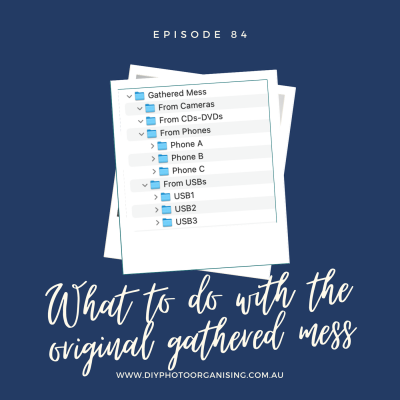
084 | What to do with the original gathered mess
To answer that question, we are looking back at our Golden Rule 3 - Creating a Hub - to clarify the steps that we suggest you follow to start off your photo organising project. We are explaining in detail how to copy the gathered mess before you start deduplication and sorting of your photos. We also talk about where and how long to keep that copy of the original mess, and when to delete it and all the original source files. Remember, the goal is to have one single place where you keep all your photos.
We hope this episode clarifies our Golden Rule 3, to which you can listen here.
Also, we would love to hear from you as we plan relevant and pressing topics for upcoming DIY Photo Organising Podcast episodes.
If we could ask you for 2 minutes of your time we would love to hear from you. Please click here to share your Wishlist for Future Episodes with us. Thanks so much.
Also, we invite you to have a look through our DIY Photo Organising Courses so you can decide which of these courses might be what you need to help you move forward with your photo organising projects.
DIY Photo Organising Courses
www.diyphotoorganising.com.au/courses/
Do you have a question you would like us to answer? Head over to our Social Media Channels, we are here to help and welcome all questions.
Facebook page www.facebook.com/diyphotoorganising
Instagram page www.instagram.com/diyphotoorganising
If you'd like to learn more about us, go to:
www.diyphotoorganising.com.au
Fiona Staff's website: www.photohelper.com.au or
Chantal Imbach's website: www.photosinorder.com.au
If you are not in Melbourne and would like to exploring having a Photo Manager help you, check out www.thephotomanagers.com to find help closer to home.
083 | What to look out for when using traditional photo albums
We invite you to listen in as we chat with Vee and learn some new and creative uses for traditional photo albums. Vee also shares some things to look out for when using traditional photo albums.
Also, we would love to hear from you as we plan relevant and pressing topics for upcoming DIY Photo Organising Podcast episodes.
If we could ask you for 2 minutes of your time we would love to hear from you. Please click here to share your Wishlist for Future Episodes with us. Thanks so much.
Also, we invite you to have a look through our DIY Photo Organising Courses so you can decide which of these courses might be what you need to help you move forward with your photo organising projects.
How to connect with Vee Lawrey, Coral Coast Photo Life
www.photo-life.com.au
Vee is also offering our listeners a 20% discount and a free gift on anything ordered before 16 February 2022. Use code "photo22" for the offer.
DIY Photo Organising Courses
www.diyphotoorganising.com.au/courses/
Do you have a question you would like us to answer? Head over to our Social Media Channels, we are here to help and welcome all questions.
Facebook page www.facebook.com/diyphotoorganising
Instagram page www.instagram.com/diyphotoorganising
If you'd like to learn more about us, go to:
www.diyphotoorganising.com.au
Fiona Staff's website: www.photohelper.com.au or
Chantal Imbach's website: www.photosinorder.com.au
If you are not in Melbourne and would like to exploring having a Photo Manager help you, check out www.thephotomanagers.com to find help closer to home.
Author
Chantal Imbach and Fiona Staff
082 | Planning Photo Projects
So did we!
Chantal went on a holiday with her family to Tasmania (in Australia) and Fiona went on a holiday with her family to Phillip Island (in Victoria, Australia).
We thought we would get straight into something very practical for you in this episode!
Planning! This episode is all about helping you plan the projects you might like to do this year, that are centred around your photos.
Firstly we give you lots of ideas on projects you could plan to create, and then we give you a 4 step strategy to create your photo projects!
(Spoiler alert...we had a lot of fun and laughter creating this episode!)
Also, we would love to hear from you as we plan relevant and pressing topics for upcoming DIY Photo Organising Podcast episodes.
If we could ask you for 2 minutes of your time we would love to hear from you. Please click here to share your Wishlist for Future Episodes with us. Thanks so much.
Also, we invite you to have a look through our DIY Photo Organising Courses so you can decide which of these courses might be what you need to help you move forward with your photo organising projects.
Links discussed in this episode
www.calendarr.com/united-states/calendar-2022/
DIY Photo Organising Courses
www.diyphotoorganising.com.au/courses/
Do you have a question you would like us to answer? Head over to our Social Media Channels, we are here to help and welcome all questions.
Facebook page www.facebook.com/diyphotoorganising
Instagram page www.instagram.com/diyphotoorganising
If you'd like to learn more about us, go to:
www.diyphotoorganising.com.au
Fiona Staff's website: www.photohelper.com.au or
Chantal Imbach's website: www.photosinorder.com.au
If you are not in Melbourne and would like to exploring having a Photo Manager help you, check out www.thephotomanagers.com to find help closer to home.
Author
Chantal Imbach and Fiona Staff
081 | Happy New Year
Photos bring us all so much joy, and we also understand they can bring us mixed emotions too.
As we step into a new year please know that we are cheering you on! We believe even the smallest of steps in the journey of organising and sharing your beloved photos should be celebrated.
So, from both of us, to you personally, we say a huge CONGRATULATIONS on the progress you have made this year!
As we both take a small break in the coming weeks please have a listen to our latest episode, recorded specifically for you, as we transition into a New Year!
And lastly, we would love to hear from you as we plan relevant and pressing topics for our 2022 DIY Photo Organising Podcast episodes. Please take a moment to click here and share your Wishlist for 2022 with us! Thank you in advance.
Also, we invite you to have a look through our DIY Photo Organising Courses so you can decide which of these courses might be what you need to help you move forward with your photo organising projects.
DIY Photo Organising Courses
www.diyphotoorganising.com.au/courses/
Do you have a question you would like us to answer? Head over to our Social Media Channels, we are here to help and welcome all questions.
Facebook page www.facebook.com/diyphotoorganising
Instagram page www.instagram.com/diyphotoorganising
If you'd like to learn more about us, go to:
www.diyphotoorganising.com.au
Fiona Staff's website: www.photohelper.com.au or
Chantal Imbach's website: www.photosinorder.com.au
If you are not in Melbourne and would like to exploring having a Photo Manager help you, check out www.thephotomanagers.com to find help closer to home.
Author
Chantal Imbach and Fiona Staff
080 | 5 Essential Photo Management Tips
We know this time of the year is filled with opportunities to add even more photo memories to your collection!
So, in the episode, we thought we would get straight to it and record our 5 Essential Photo Management Tips we believe will help you finish this year strong...and prepare you for a new year ahead!
From both of our families to yours, we wish you all a very Merry Christmas!
Reference Episodes discussed
Ep 02 | Golden Rule 1 Backup
Ep 04 | Golden Rule 3 Create a Photo HUB
Ep 05 | Golden Rule 4 Sort and Organise (Part 1 - Digital Photos)
Ep 08 | Create a Yearly Photo Book
Ep 24 | Transferring photos from iPhone to Windows PC
Ep 32 | New Year Resolutions with your Photos
Ep 34 | Storytelling with Your Photos (with guest Mara Morrison)
Ep 35 | Introducing you to the world of Digital Scrapbooking (with guest Melissa Shanhun)
Ep 45 | How do I add tags in Windows Explorer?
Ep 51 | Artwork
Ep 52 | How do I gather photos from others?
Ep 57 | Story Jotting with Katie
Ep 58 | Time to get your BACKUP sorted!
Ep 63 | The Magic of Maintenance
Also, we invite you to have a look through our DIY Photo Organising Courses so you can decide which of these courses might be what you need to help you move forward with your photo organising projects.
DIY Photo Organising Courses
www.diyphotoorganising.com.au/courses/
Do you have a question you would like us to answer? Head over to our Social Media Channels, we are here to help and welcome all questions.
Facebook page www.facebook.com/diyphotoorganising
Instagram page www.instagram.com/diyphotoorganising
If you'd like to learn more about us, go to:
www.diyphotoorganising.com.au
Fiona Staff's website: www.photohelper.com.au or
Chantal Imbach's website: www.photosinorder.com.au
If you are not in Melbourne and would like to exploring having a Photo Manager help you, check out www.thephotomanagers.com to find help closer to home.
Author
Chantal Imbach and Fiona Staff
079 | When and how to tackle photos when decluttering your home
We understand this can be a big job. We also know that photos are only one part of this process.
In this episode we focus on helping you decide when you might choose to organise your photos, when you are decluttering your home.
Organise photos first?
Leave it to the end, or
Somewhere in-between?
Listen in to hear our thoughts so you can decide what is best for you and your family.
Links discussed in this episode:
Free Download: Checklists for Where to find all your photos
www.diyphotoorganising.com.au/landing-lm-checklists-where-to-find-all-your-photos/
The Art of Decluttering
www.theartofdecluttering.com.au
Reference Episodes
Episode 5 | Golden Rule 4 Sort and Organise (Part 1 - Digital Photos)
Episode 6 | Golden Rule 4 Sort and Organise (Part 2 - Printed Photos)
Episode 11 | KonMari your photos?
Also, we invite you to have a look through our DIY Photo Organising Courses so you can decide which of these courses might be what you need to help you move forward with your photo organising projects.
DIY Photo Organising Courses
www.diyphotoorganising.com.au/courses/
Do you have a question you would like us to answer? Head over to our Social Media Channels, we are here to help and welcome all questions.
Facebook page www.facebook.com/diyphotoorganising
Instagram page www.instagram.com/diyphotoorganising
If you'd like to learn more about us, go to:
www.diyphotoorganising.com.au
Fiona Staff's website: www.photohelper.com.au or
Chantal Imbach's website: www.photosinorder.com.au
If you are not in Melbourne and would like to exploring having a Photo Manager help you, check out www.thephotomanagers.com to find help closer to home.
Author
Chantal Imbach and Fiona Staff